

English
Draft Deals
Save a Deal as a Draft Deal
When creating a deal, it is possible to save it as a draft.
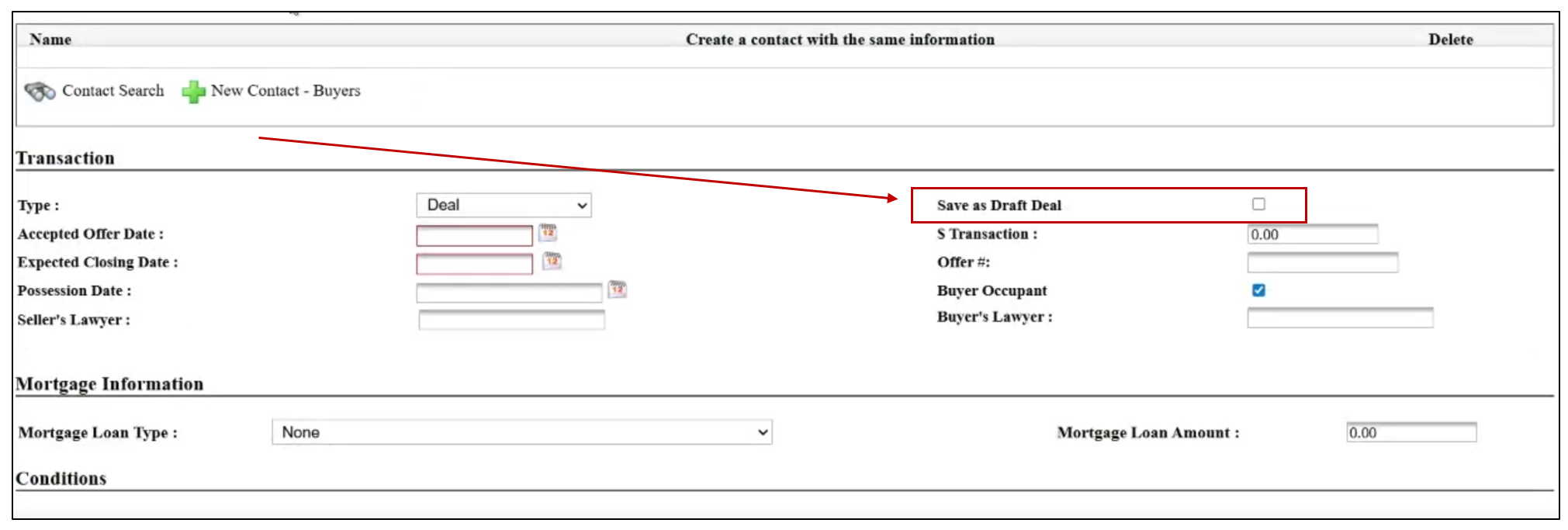
- If you haven’t finished entering all the deal information, you can check the Save as Draft Deal box. This deal will then appear in the Draft Deals folder.
Warning
When your deal has been saved as a draft, your agency CANNOT see this deal.
Edit Draft Deal
You can always edit your draft deal to add more information.
Folder >> Draft Deals.
Click on the deal you want to edit.
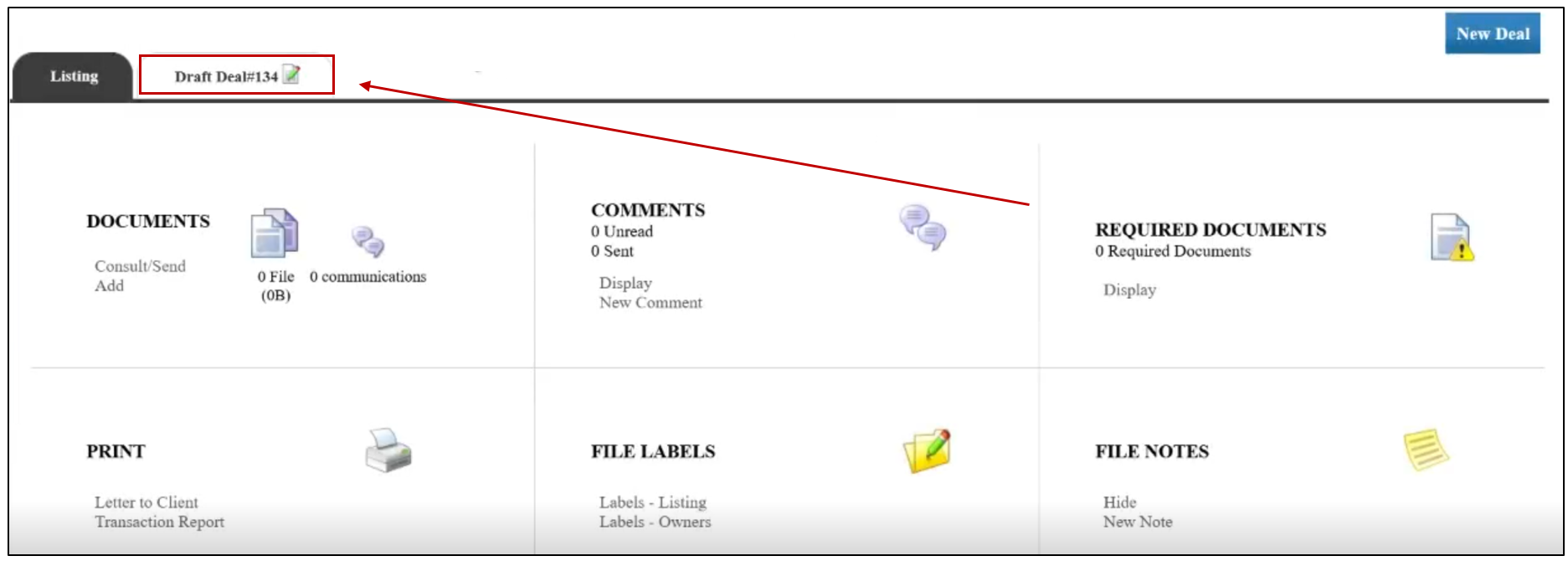
- Once you are in the deal, click on the white card with the green pencil

to edit the draft deal.
- To save your changes, click Submit.
Convert Your Draft Deal into a Regular Deal
Once your deal is complete, you need to convert it into a regular deal so that your agency administration can see it.
Folder >> Draft Deals.
Click on the deal you want to convert.
- Once you are in the deal, click on the white card with the green pencil
to edit the draft deal.
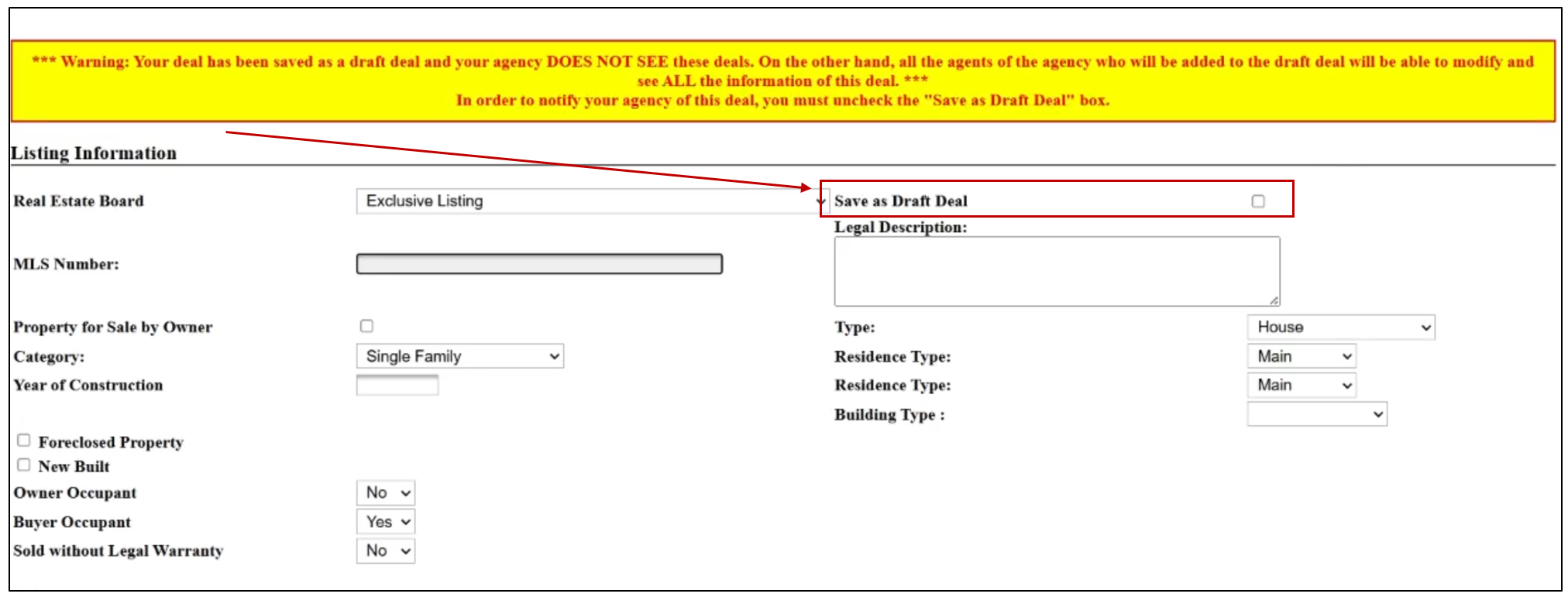
Uncheck Save as Draft Deal.
Click Submit at the bottom of the page.