

English
Accounting Period Management
It is possible to add, open and close accounting periods in the eZmax system via the accounting period management.
- From Main menu >> Accounting >> Accounting Periods (Open/Close).
"Open Fiscal Years" tab
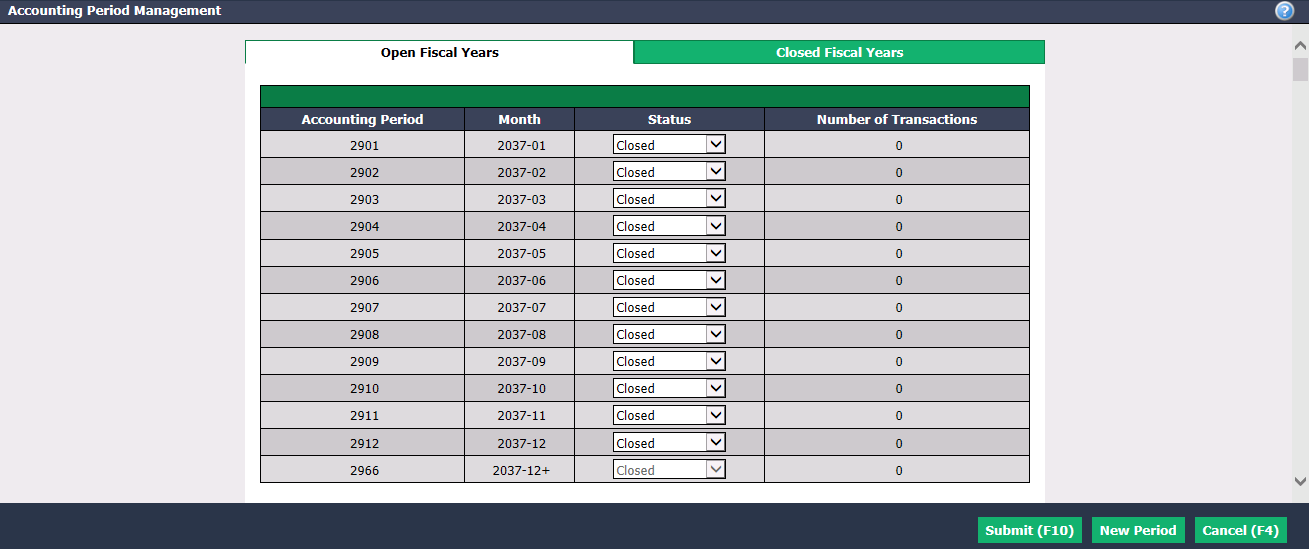
You can see, for each Accounting Period , its Month and Number of Transactions.
You can modify the Status of an accounting period from the drop-down list.
"Closed": No user can add/edit transactions in this accounting period.
"Controller Only": Only users who have the authorization (in the "End of Month" tab/Closed Periods Access) can add/edit transactions in this accounting period. For more informations, please see the articles Authorization Management of an Admin User and Authorizations of an Admin User - End of Month.
"Open": All users can add/edit transactions in this accounting period.
NOTE: The word "transactions" in this article refers to data entries into the system, i.e. purchases, payments, commission calculations, etc.
- Click on Submit to save your changes.
"Closed Fiscal Years" tab
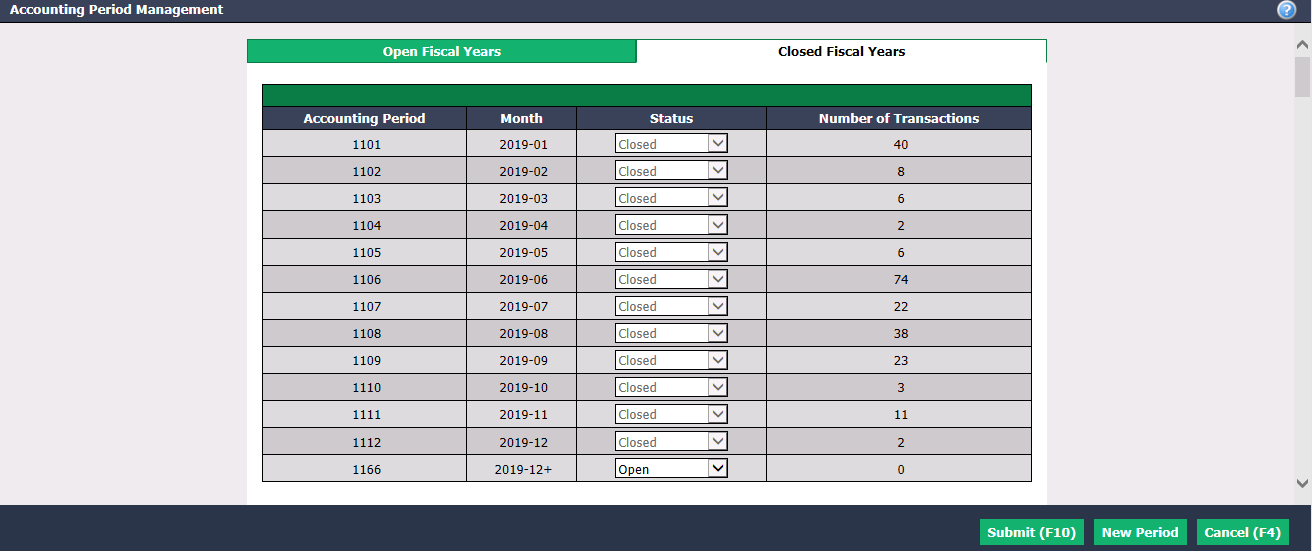
- You can see, for each Accounting Period , its Month and Number of Transactions.
NOTE: You cannot modify the Status of a closed accounting period.
- Click on Submit to save your changes.
New Period
It is possible to add 12 new accounting periods in the year following the one at the top of the "Open Fiscal Years" tab.
- Click on New Period and this message will appear:
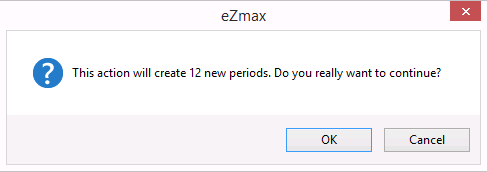
- Click on OK to continue.