

English
Transactions (eZmax for agents)
Transactions in eZmax
- From Main menu >> Files.
NOTE: No matter what type of files you click on, the page with tabs for all file types appears.
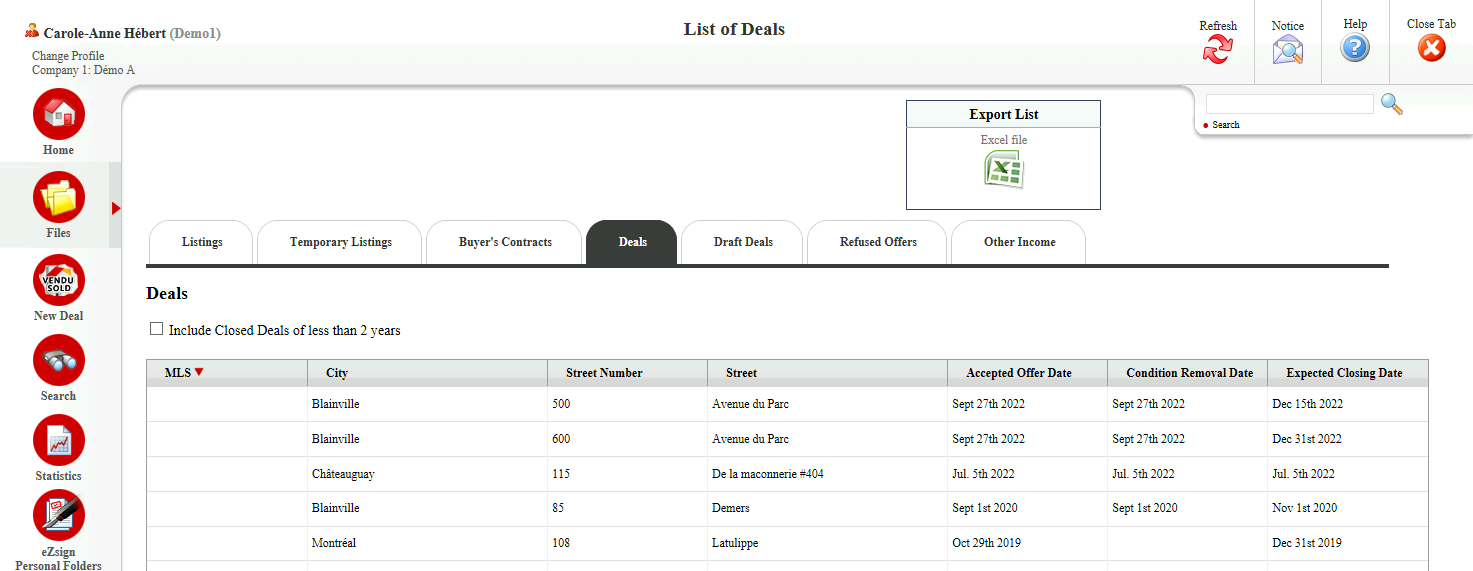
- Here are the different types of files available:
- Listings
- Temporary Listings
- Buyer’s Contracts
- Deals
- Draft Deals
- Refused Offers
- Other Income
Deals
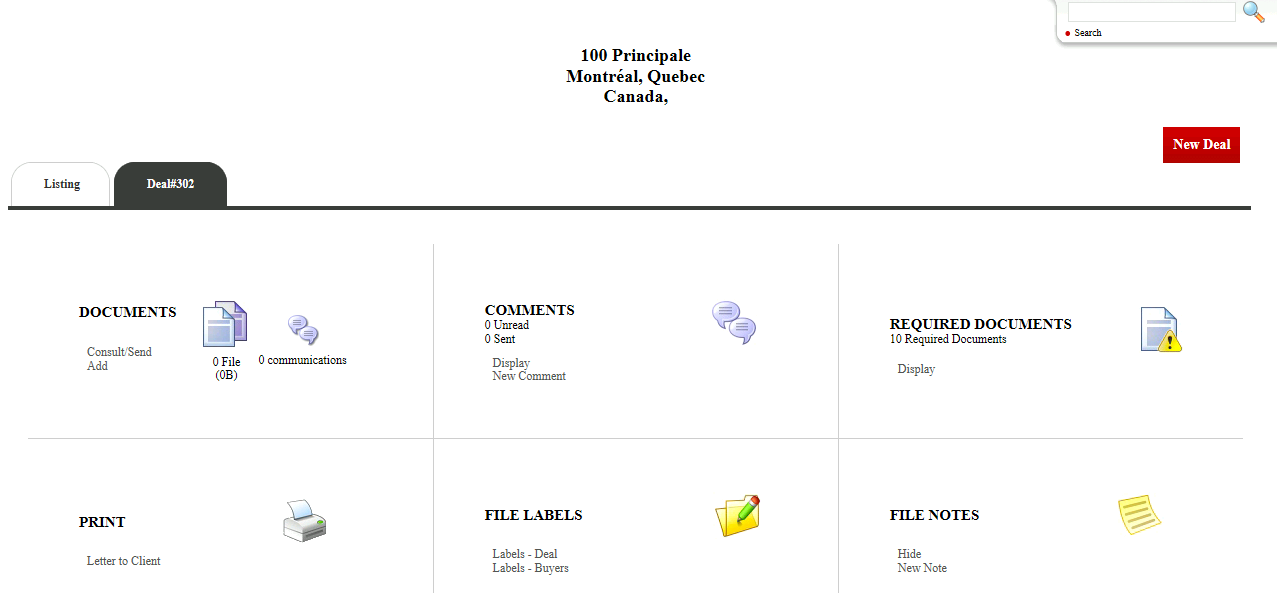
The deal address appears at the top of the page in the center.
There are 6 sections in each of the file types:
- Documents : Electronic Document Management (EDM). For more information, please see the article Consult and add documents in EDM (eZmax for agents).
- Comments : Communication module between the brokerage and the agents. To send or view a message specific to this transaction.
NOTE: Deleted comments remain on file.
* **Required Documents** : Mandatory documents determined by your brokerage and that have not yet been added to the file.- File Labels
- File Notes : To add a "Post-it" in the transaction, with or without reminder. To add a reminder, click on Options. This reminder will appear in the notifications on the home page. You can permanently delete a note by clicking on the X at the top right.Below, there is these sections:
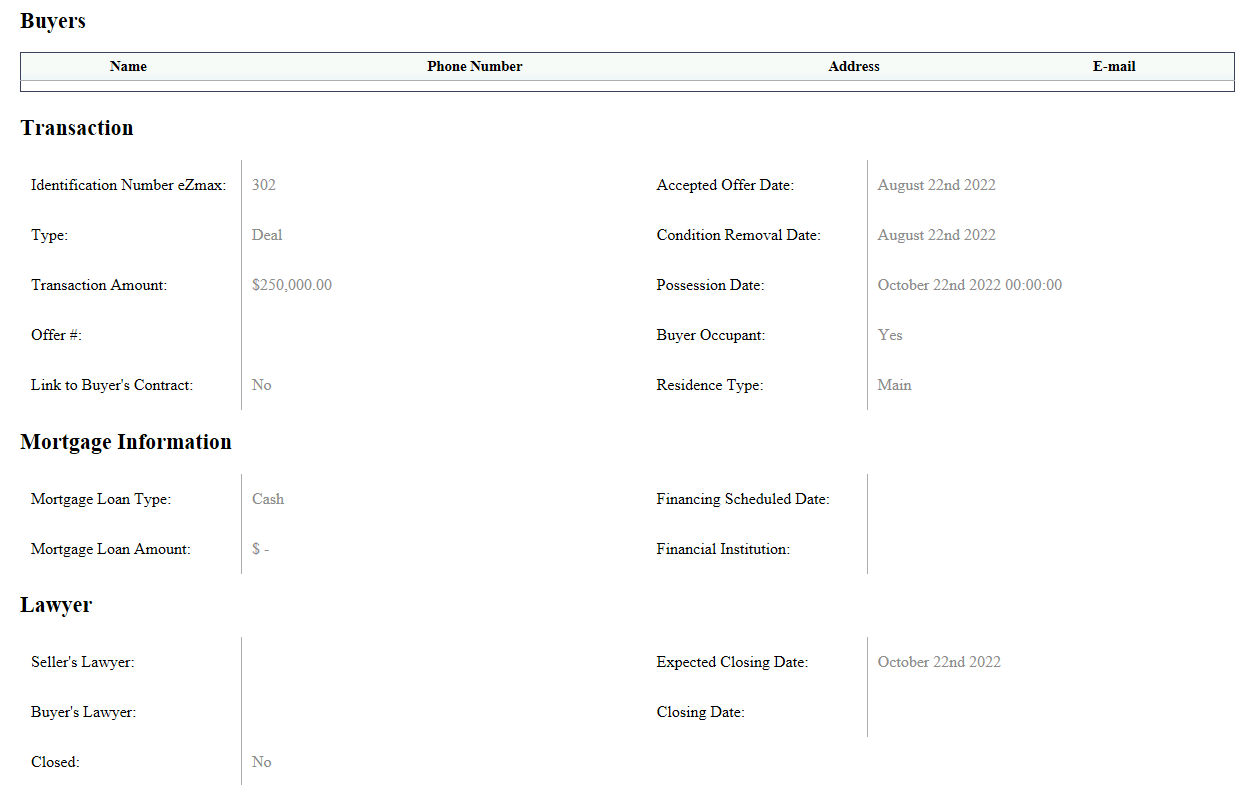
Buyers : All the contact information of the buyers.
Transaction : All the important information such as the transaction amount, the accepted offer date and the possession date.
Mortgage Information
Lawyer : If you need to communicate with your lawyers, you can click on the desired name and send an e-mail.
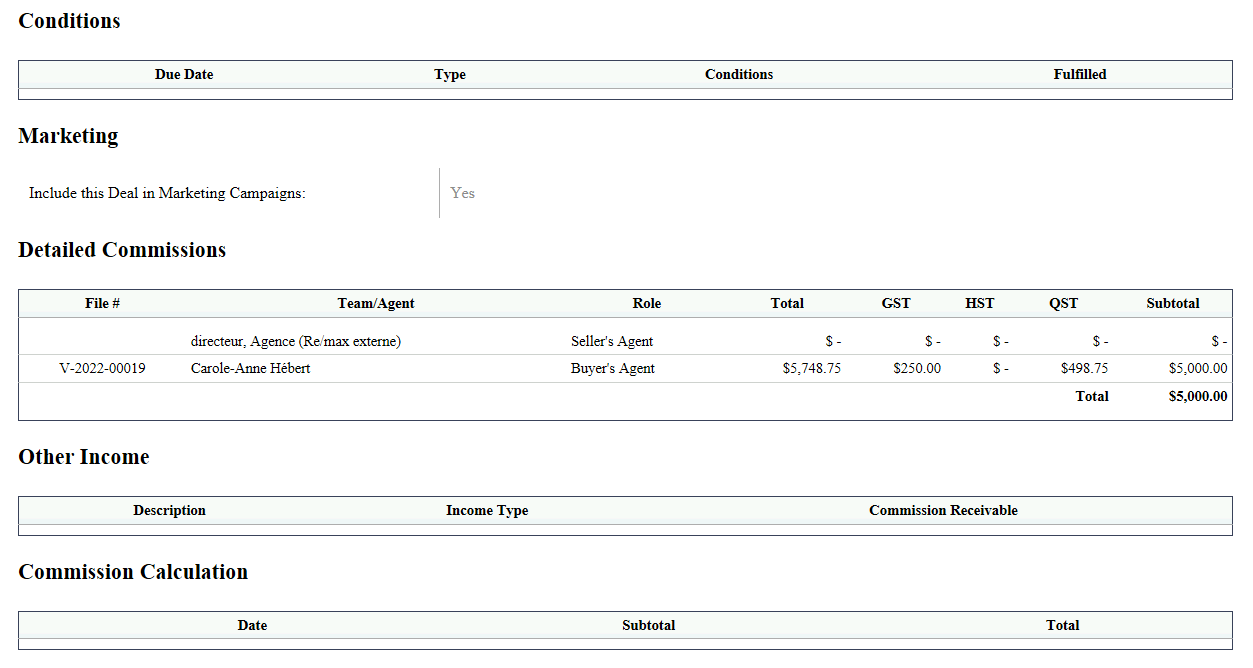
Conditions : If applicable, you will see the conditions to your transaction.
Detailed Commissions : How the breakdown is done.
Other Income : Ex.: Referrals.
Commission Calculation : Once the brokerage closes and pays out this transaction, you will see the information in this section.
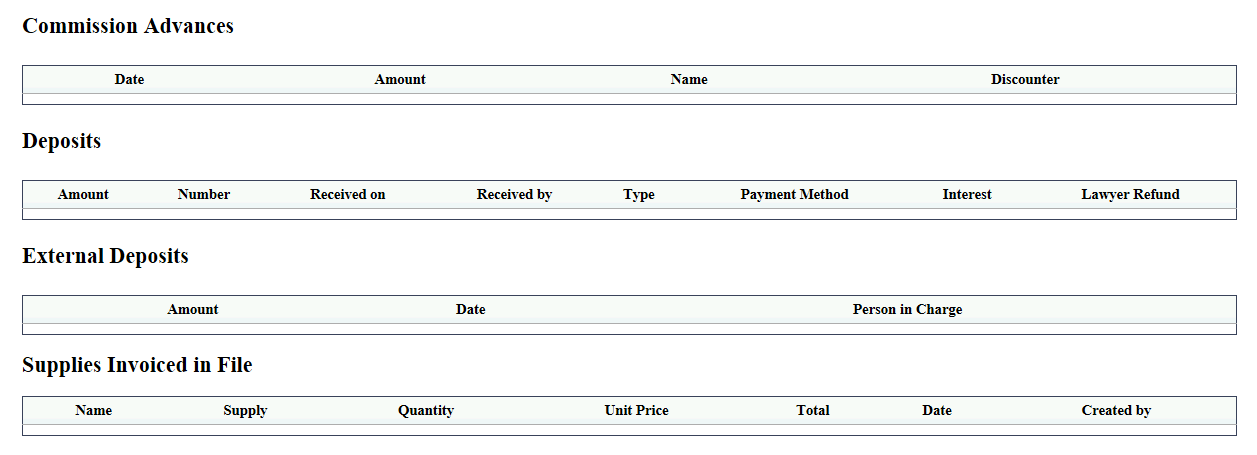
Commission Advances
Deposits
External Deposits
Supplies Invoiced in File