

English
Document Dependency
This feature allows you to create dependencies between documents. For example, you can use this feature if you want a document to be completed before sending other documents in the same folder.
From the main menu >> eZsign Folders >> New eZsign Folder.
During the Document Verification step, you will have the option to create dependencies between certain documents.
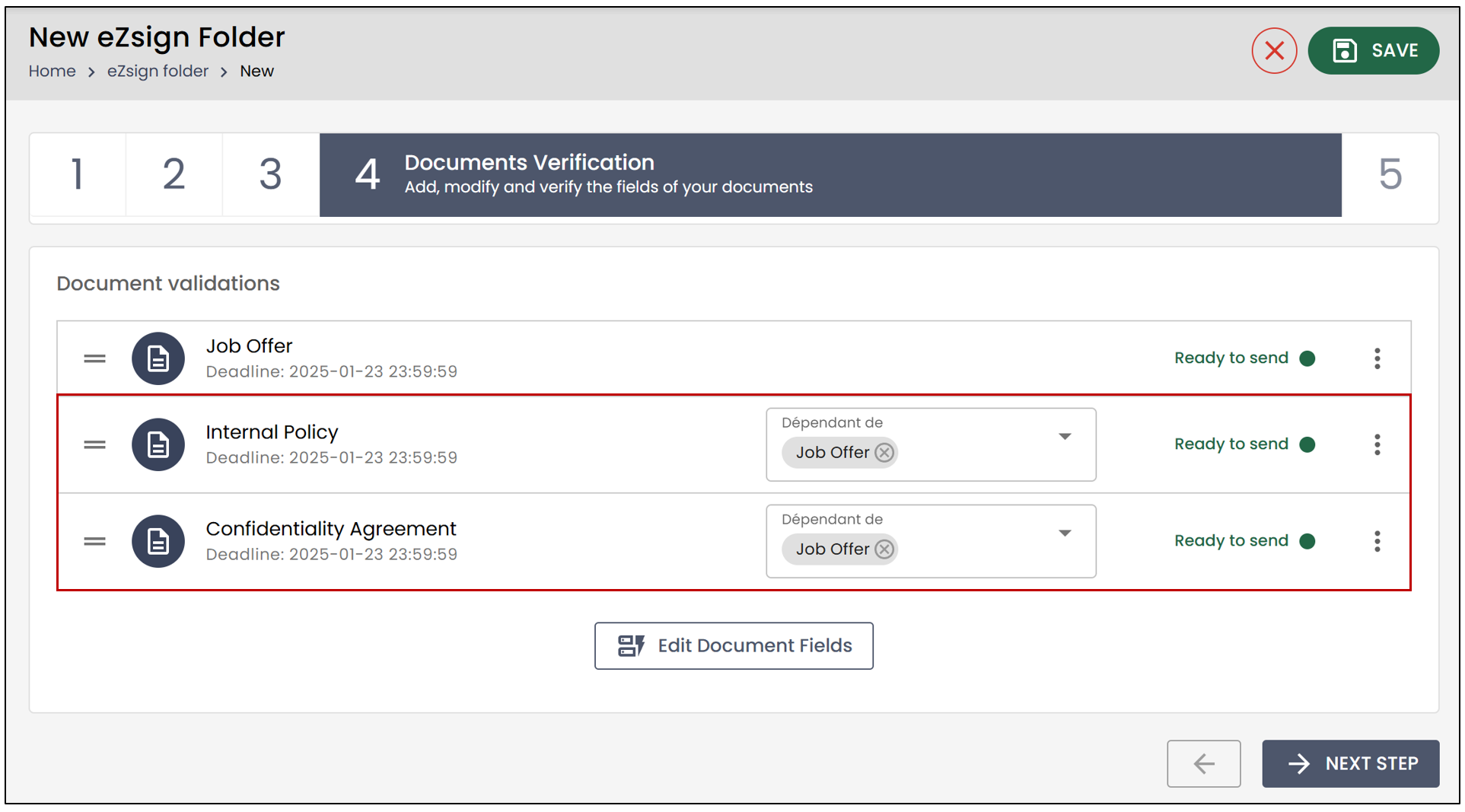
In the example below, the "Internal Policy" document is dependent on the "Job Offer" document, meaning it will not be sent until the "Job Offer" document is signed.
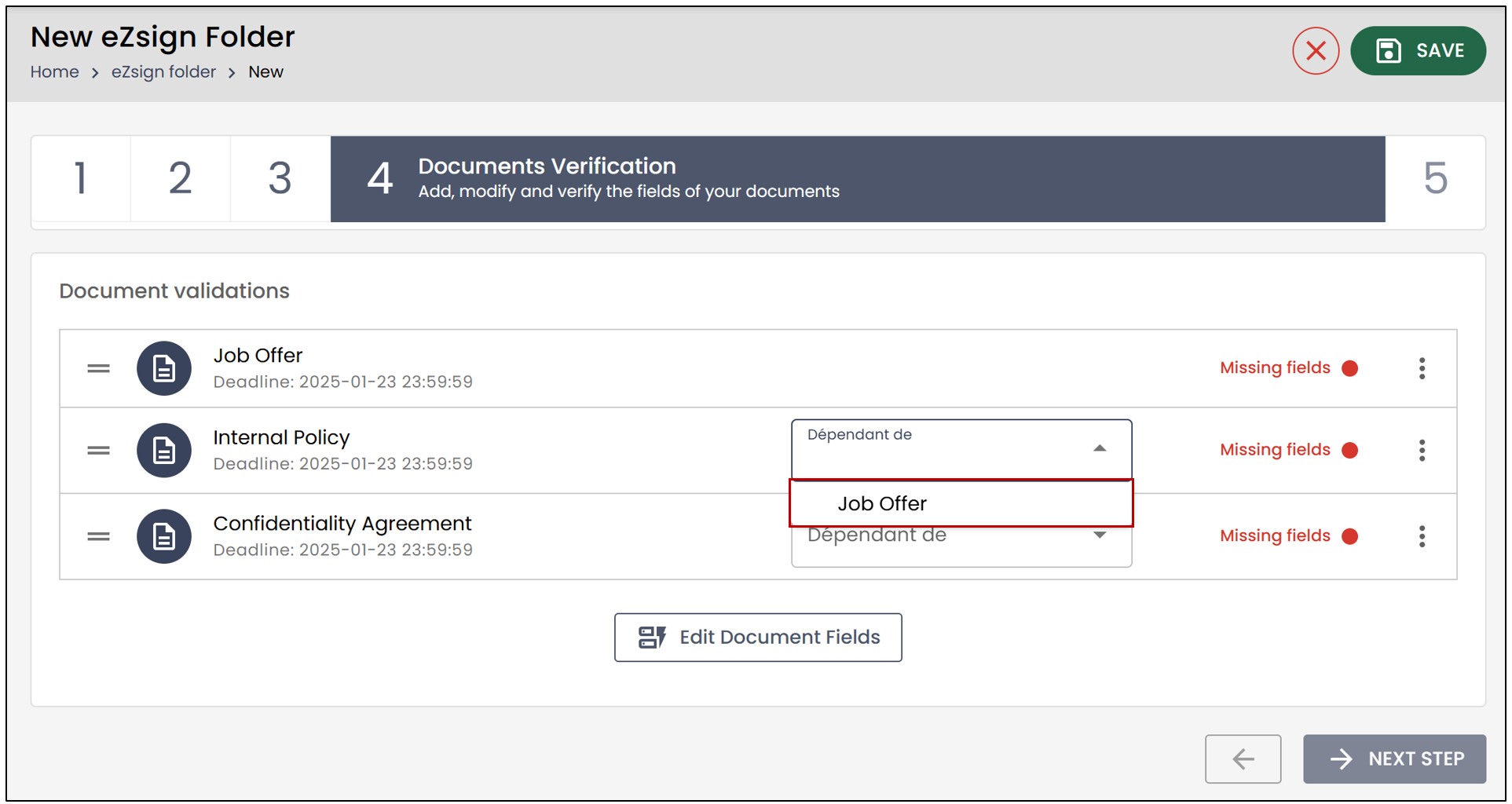
NOTE: You have the option to change the order of the documents by dragging them up or down. In this case, documents can be depending on any that is above. For example, the third document can be dependent of the first or the second document.
NOTE: If you do not select any dependencies, all documents will be sent at the same time.
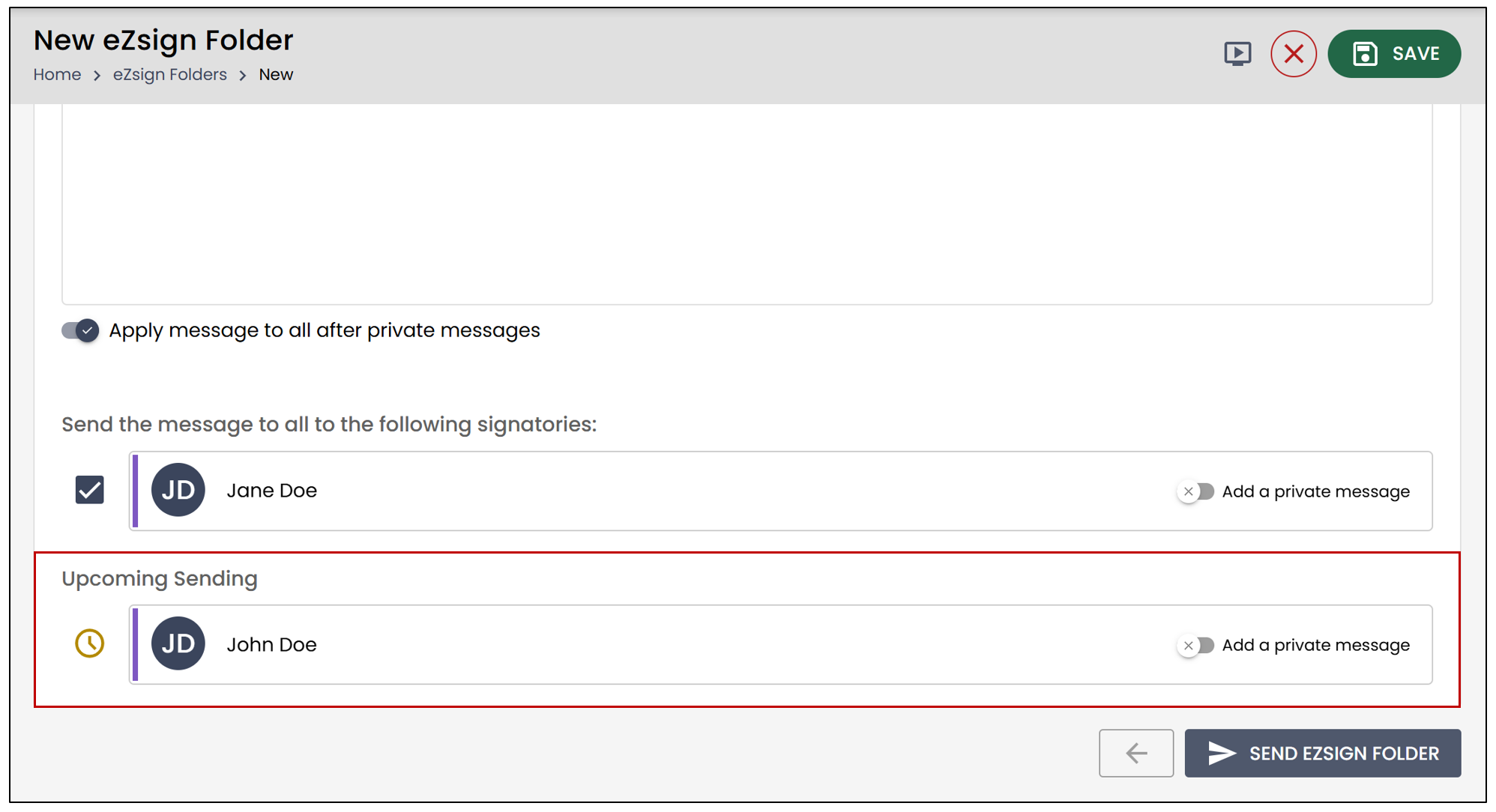
During the Send Folder step, you will be able to see that the signers on any documents dependent on the "Job Offer" are listed in the Upcoming Sending section. In this example, the documents will be sent to John Doe once Jane Doe has signed.
Configuration of dependencies for signatories
It is now possible to configure the application of a dependency to all signatories of the file or only to external signatories.
From the **Administration **menu >> Folder Types.
- Select the desired folder type, then click on Edit Folder Type.
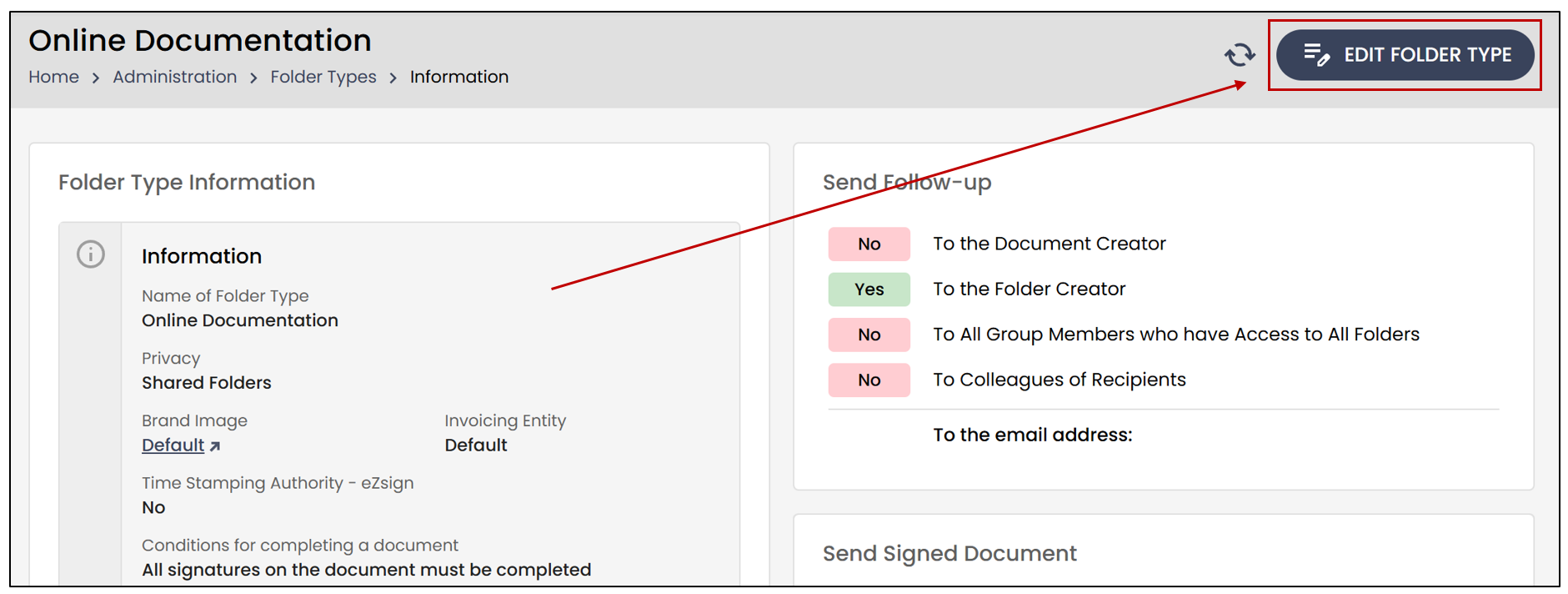
- In the Information section, you will find Signing documents dependent on other documents is prohibited. You will have the choice between All and External signatories only.
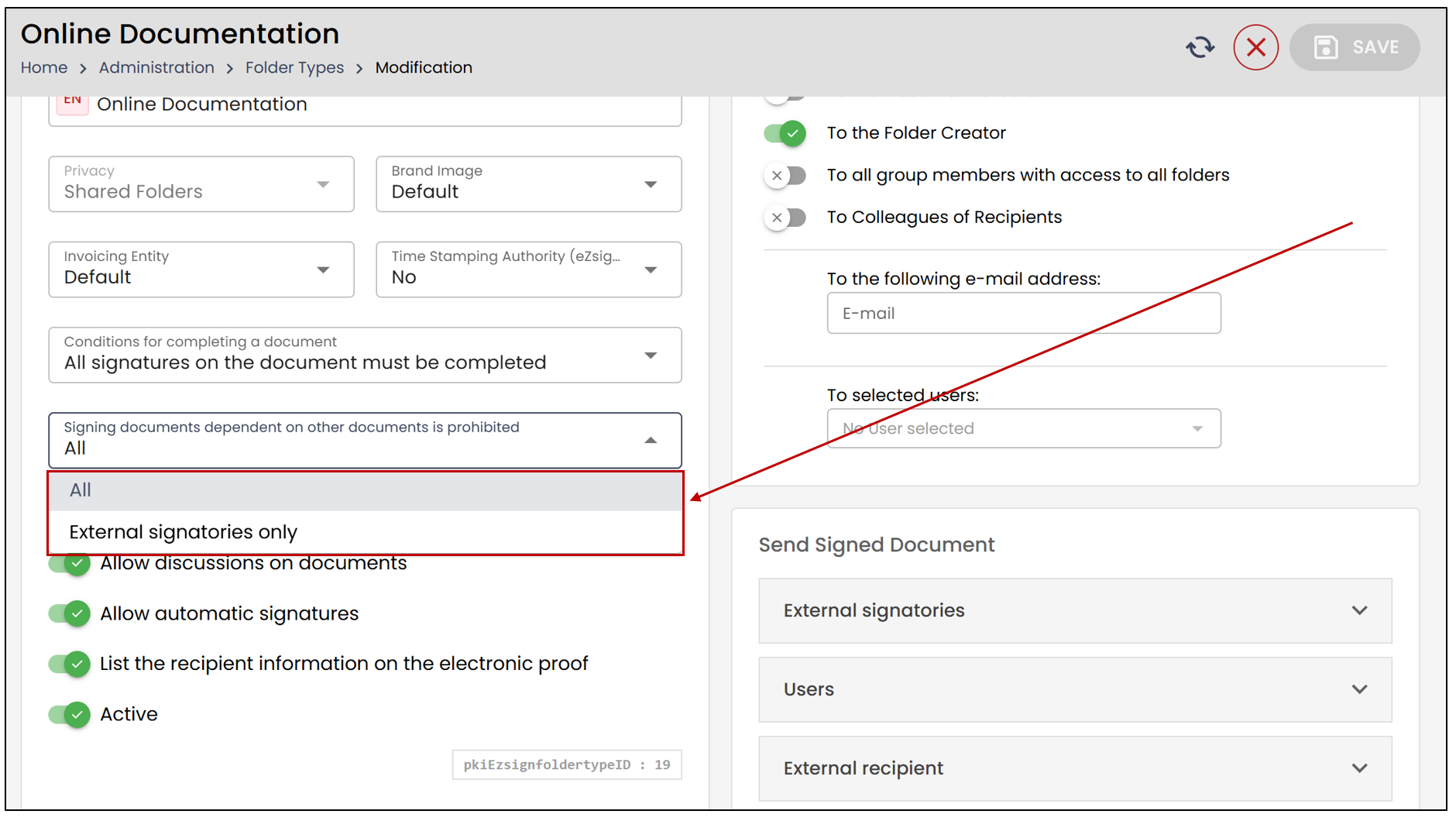
NOTE: If you choose the All option, the dependency between documents will apply to all signatories. However, if you select the External signatories only option, the dependency between documents will only apply to them.