

English
Timestamping Authority - Administration (eZsign Web)
Timestamping
When the date and time of a signature are recorded, this is called timestamping. When a document is signed through eZsign, the timestamping service uses the eZmax system clock by default.
Certified Timestamping
Generated by a trusted external organization using FIPS-compliant secure hardware, certified timestamping allows you to assert with a high degree of certainty that the timestamp is accurate and has not been tampered with. The requirements that third parties must meet in order to qualify as a Time Stamping Authority are defined in RFC 3161.
When you enable timestampingauthority, a trusted third party certifies the date and time of the signature. Since a third party is involved in the signing process, it is important to note that each signature may take a few extra seconds to complete.
Types of Timestamping Authority
No : The timestamping service uses the eZmax system clock (default option).
Best Effort : The timestamping is certified by a third party on a best-effort basis. At the time of signing, if the third party is unable to confirm the date and time (e.g., due to a system failure or inability to establish a connection), the timestamping service will use the eZmax system clock.
Mandatory : The timestamping is certified by a third party. At the time of signing, if the third party is unable to confirm the date and time (e.g., due to a system failure or inability to establish a connection), it will not be possible to complete the signature since timestamping authority is mandatory.
Configure the Timestamping Authority
The type of timestamping authority can be configured within folder types so that the same option is applied by default to all newly created folders.
From the Administration menu >> Folder Types.
- Select the desired folder type, then click Edit Folder Type.
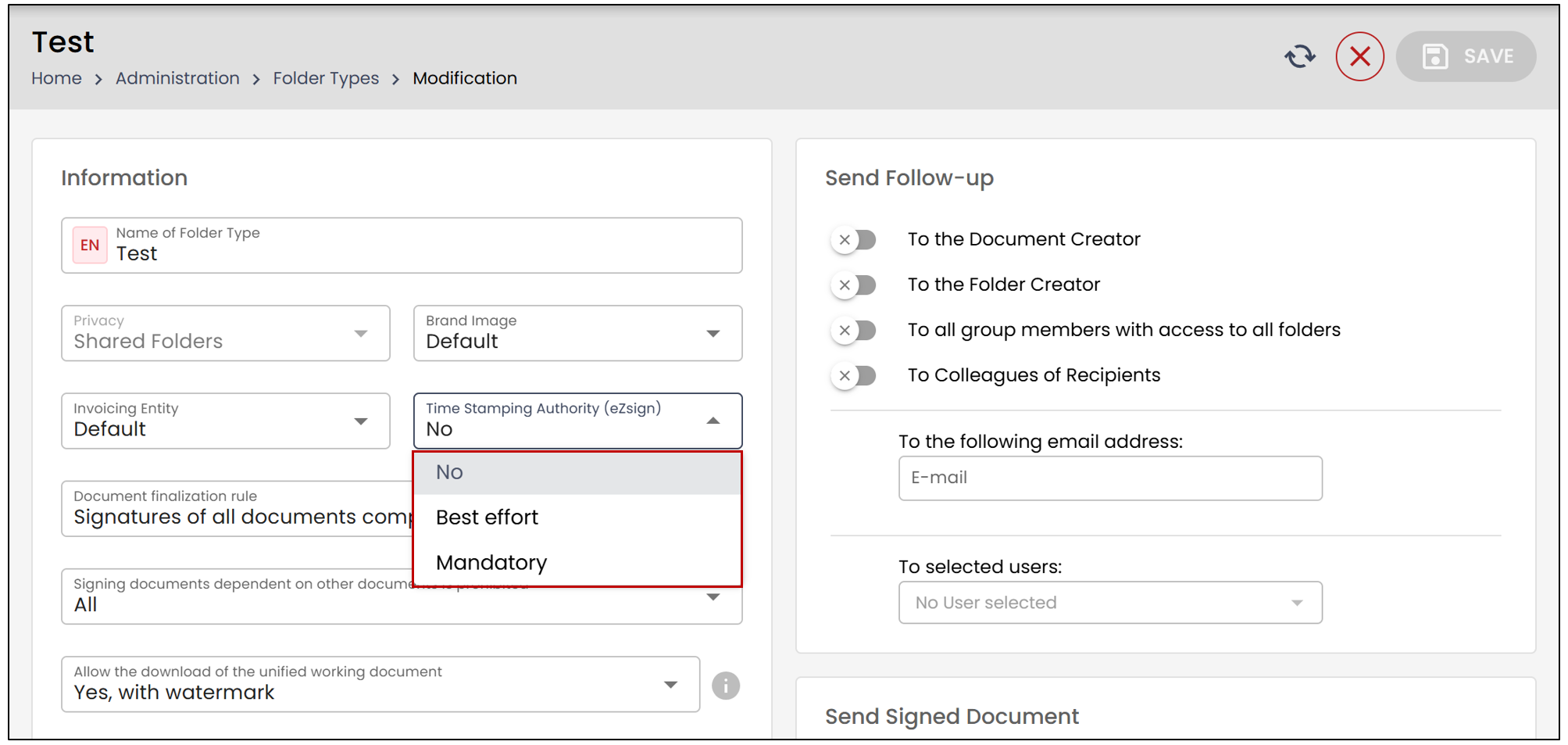
- Timestamping Authority - (eZsign) : Select the desired option and click Save. By default, timestamping authority is set to None.
NOTE: When viewing a folder, the type of Timestamping Authority is displayed but cannot be modified. Once the folder has been created, the type of Timestamping Authority cannot be changed.