English
Favourite templates
The favourite templates feature allows you to quickly access your templates when adding them to an eZsign folder.
Add a template to favourites
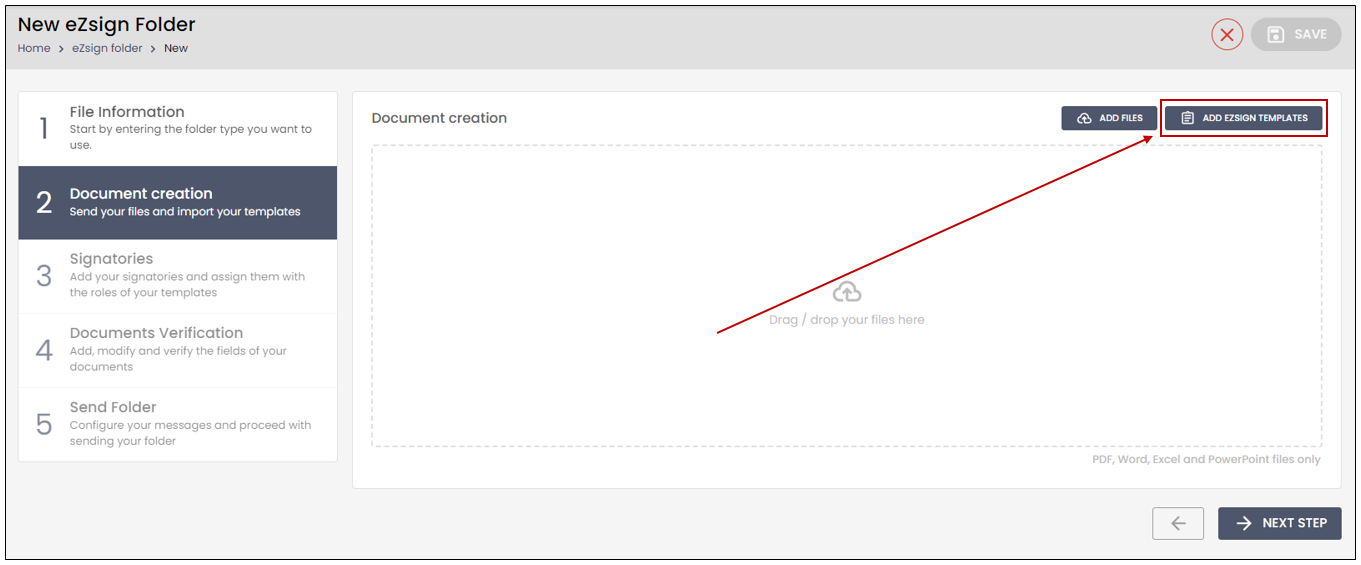
From the main menu, select eZsign Folders , then click on New eZsign Folder.
• During the Document Creation step, select Add eZsign Templates.
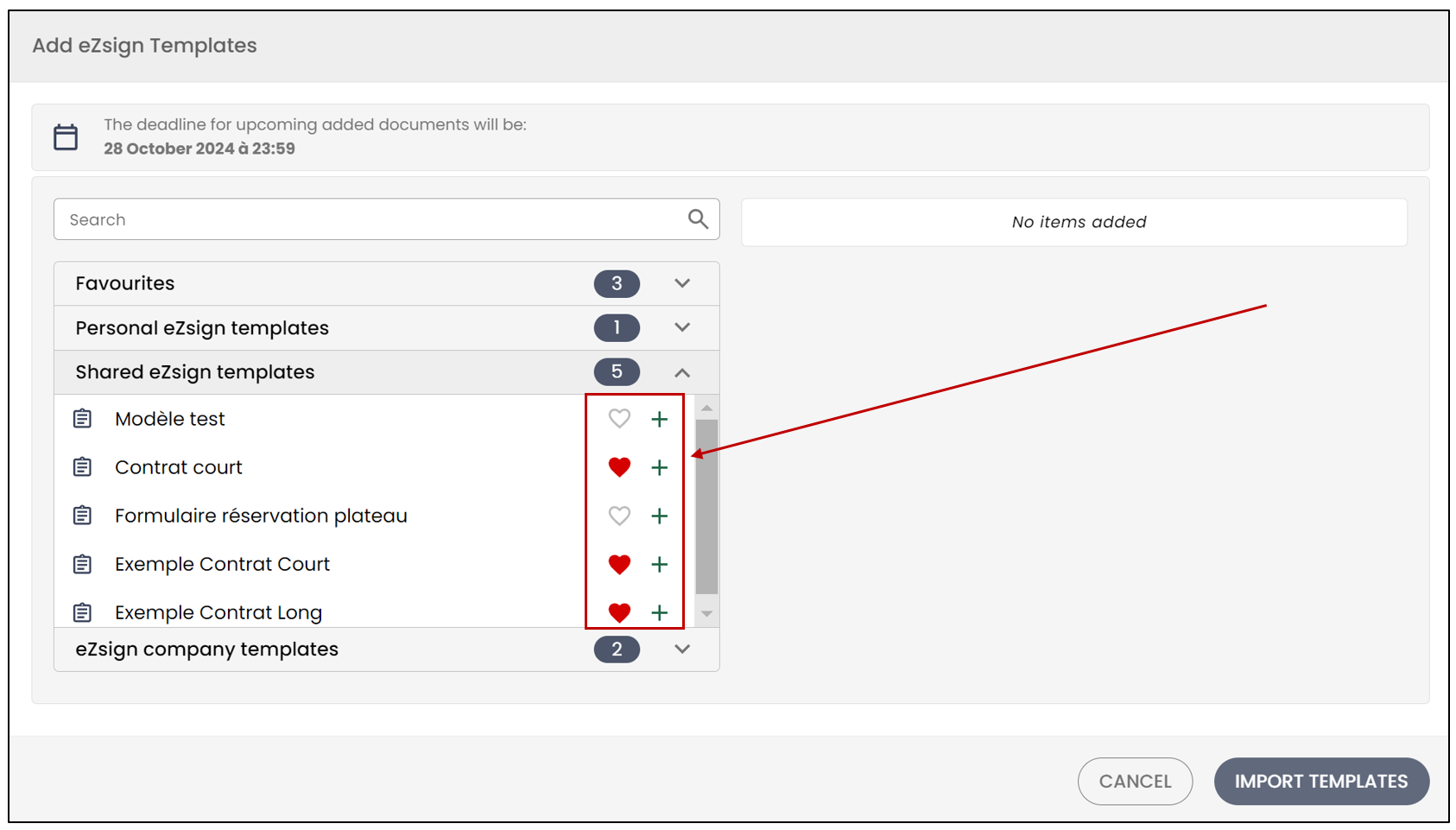
- From the drop-down list or search bar, click the heart icon next to the templates you want to add to your favourites.
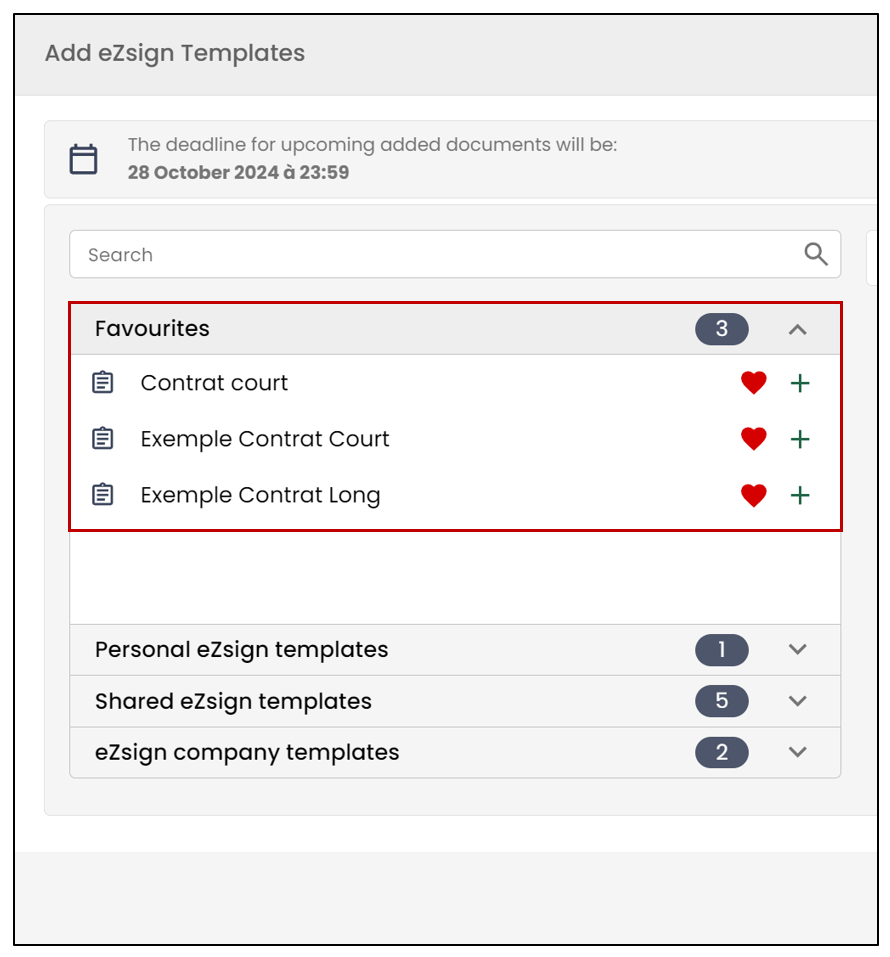
- You should see them appear in the Favourites section of your eZsign templates.
Add a favourite template to a file
During the Document Creation step, you will be able to Add files from your computer.
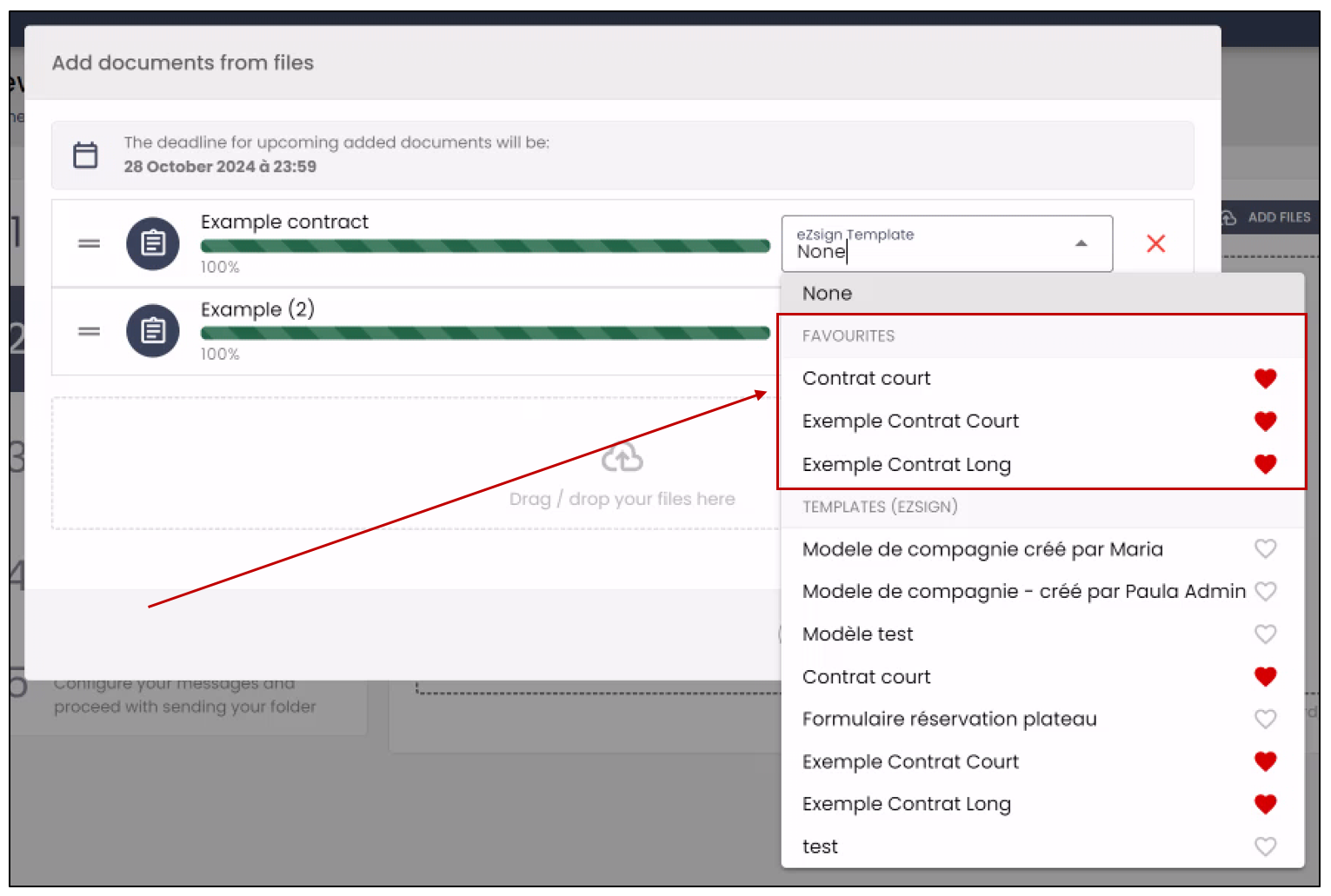
You will have the option to associate an eZsign Template with these documents. Click the downward arrow to display the list of all your templates.
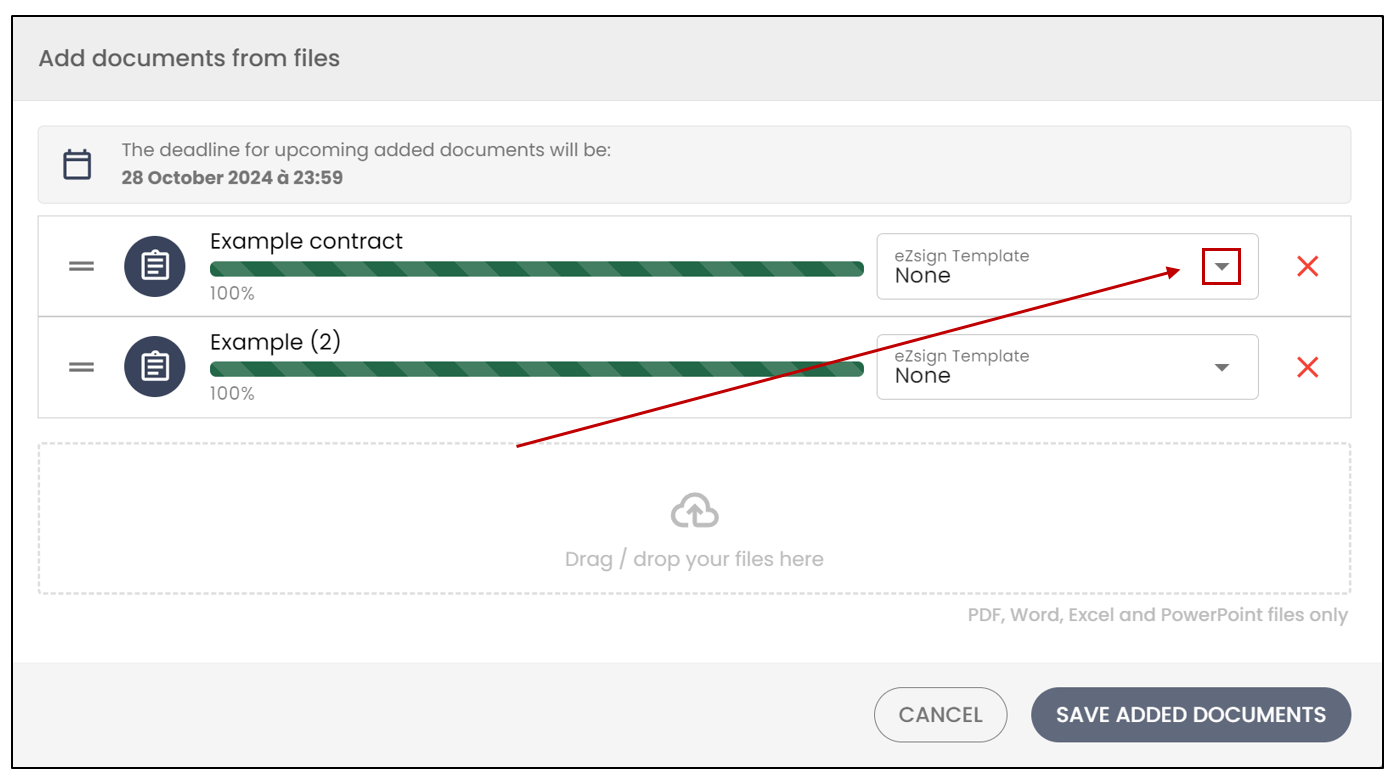
- Your favourite templates should appear at the top of the list. Select the desired templates, then click on Save Added Documents.