

English
Batch Change of Bank Accounts - Real Estate
It is possible to use the function of batch change of bank accounts in the event that you have to add/change bank account information (transit, institution and/or account number) for several people (agents, incorporations, sub-franchisees, clients, external agents, lawyers, suppliers and/or employees). This function allows you to quickly and simply add/change the bank account instead of going into each person’s profile to do it manually.
- From Main menu >> Accounts Payable >> Batch Change of Bank Accounts.
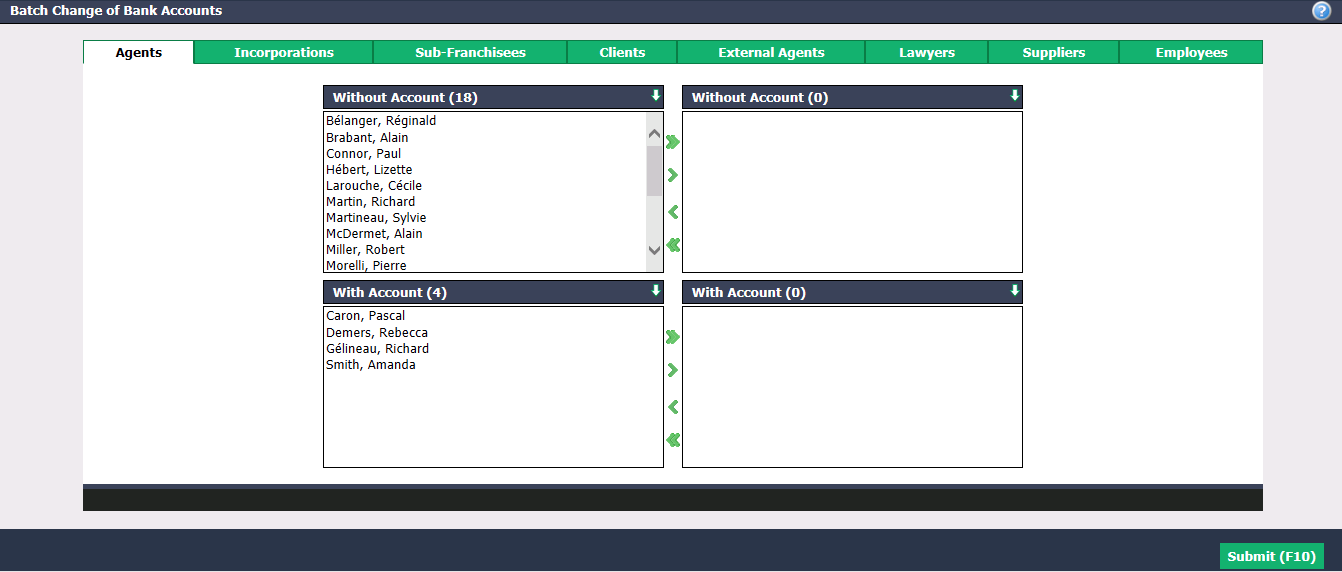
For each of the tabs, using the green arrows, select the desired people:
- Without Account : In this person’s profile, there is no bank account entered for direct deposit or direct debit.
- With Account : In this person’s profile, there is already a bank account entered for direct deposit and/or direct debit.
The double arrow allows you to select all persons with one click, while the single arrow selects only one at a time.
You can double-click on a person to select it instead of using the green arrow.
- Click on Submit to display the list of all selected people.
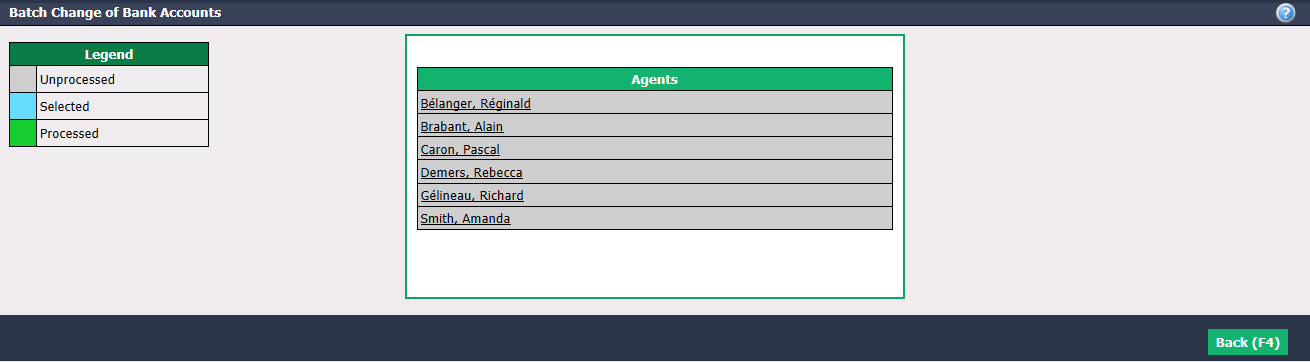
There is a colour code according to the status of the bank account change for each person:
- Gray = Unprocessed: You have not yet clicked on the person’s name.
- Blue = Selected: You clicked on the person’s name to display and change bank account information, but you clicked on Cancel.
- Green = Processed: You clicked on the person’s name to display and change bank account information and you clicked on Submit.
Click on the name of the desired person.
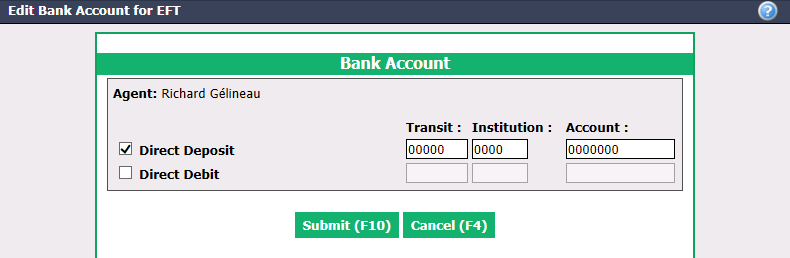
- Make the desired changes and click on Submit to save them.