

English
Incomplete Deposits
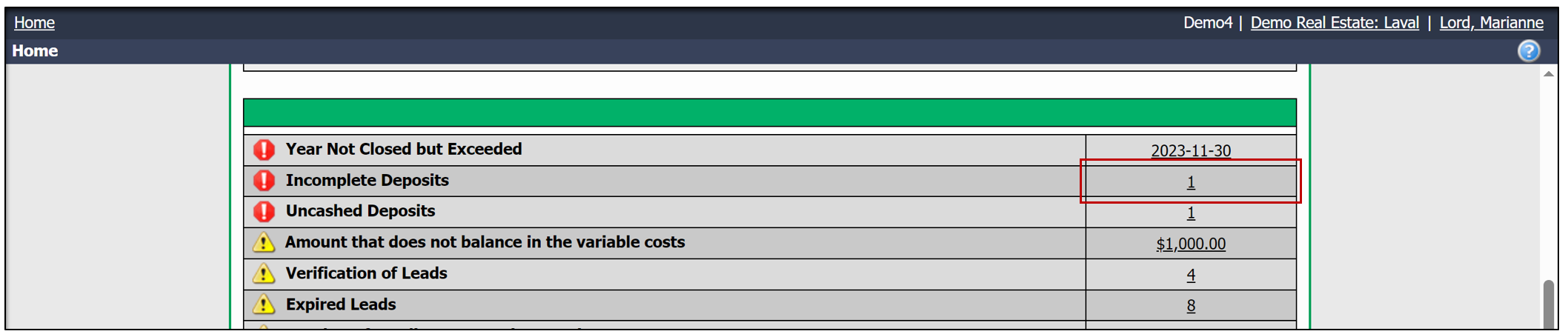
The incomplete deposit message alerts the user that a deposit is incomplete in the accounting system. If you see this message on your homepage, it means that a deposit has been entered in the Quick Data Input.
A Quick Data Input allows the user to record an amount of money received without having to identify the source. For example, an amount might be entered when a user receives a deposit but does not know its origin. This deposit could come from a client, a broker, a supplier, etc., but since the system does not know its source, an incomplete deposit message will be generated.
NOTE: If you have incomplete deposits, you will not be able to generate tax reports, and the deposit will not appear in the bank reconciliation.
Edit the incomplete deposit
Once you know the source of the deposit, you will have the option to Edit the deposit.
From the homepage >> Click on the number to the right of Incomplete Deposits.
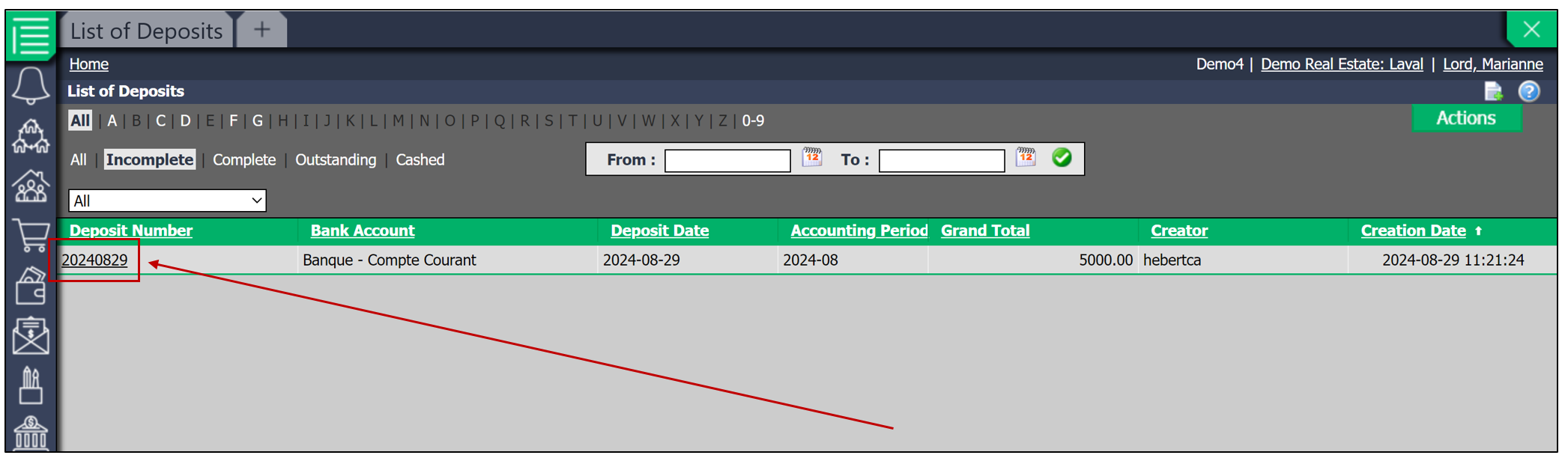
- Select the desired deposit by clicking on the Deposit Number from the List of deposits.
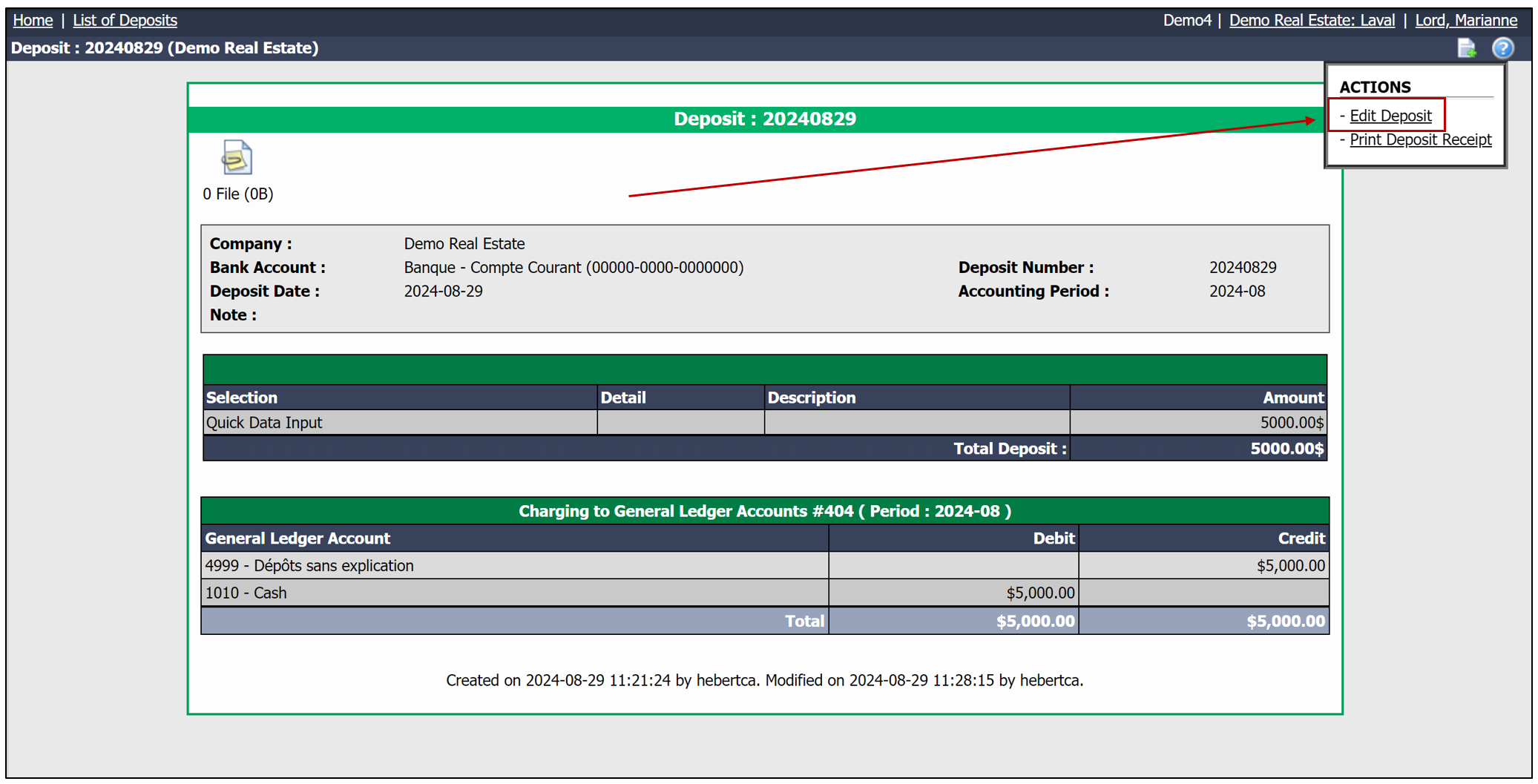
- Then click on Actions , and then select Edit Deposit.
- To delete the Quick Data Input and enter the source of the deposit, click on the 'X' to the right of the deposit.
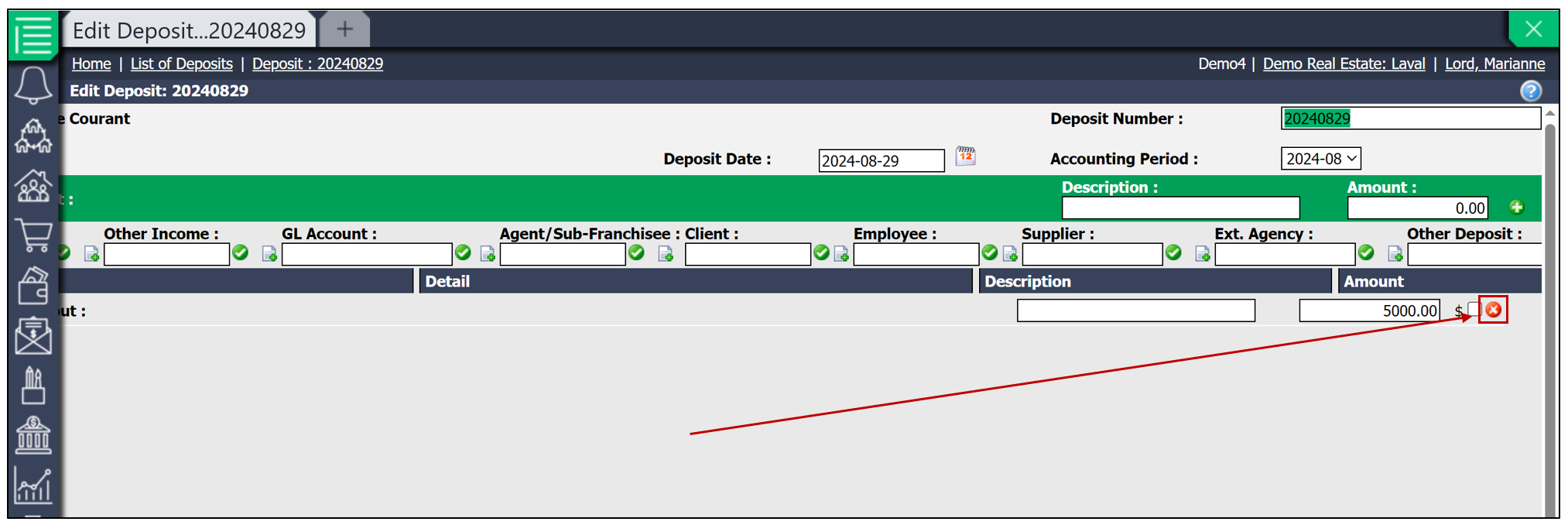
- You will then need to enter the deposit information in one of the categories below. This field will indicate the source of the deposit.
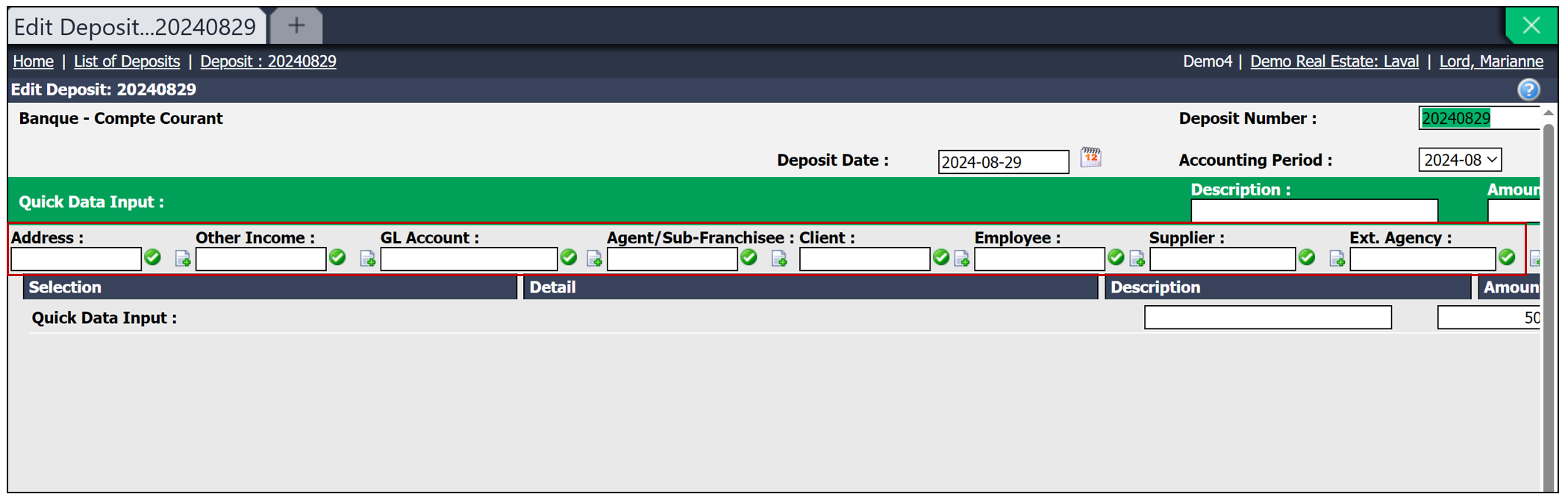
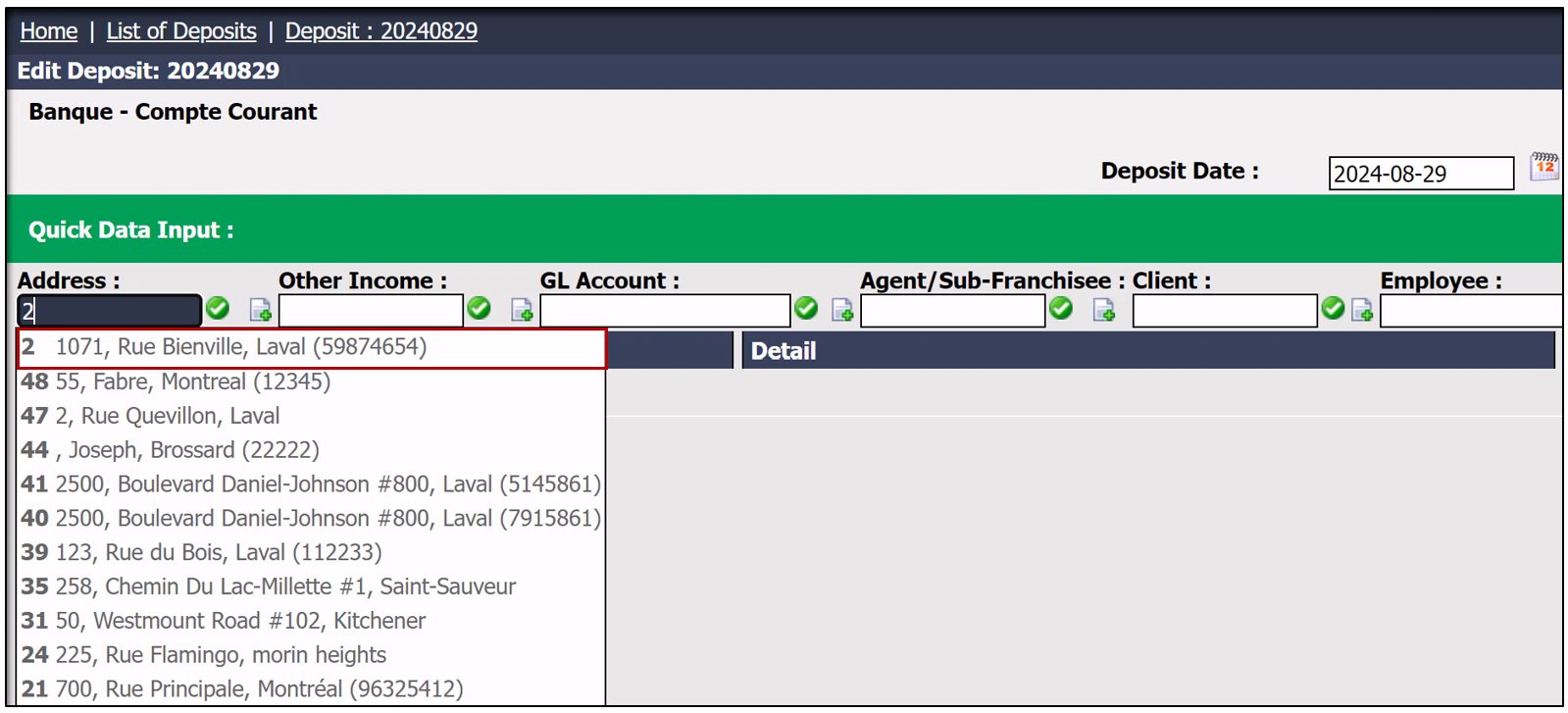
- In this example, the deposit comes from an Address and the Amount is $5000. You will then need to click on the green checkmark to the right of the field.
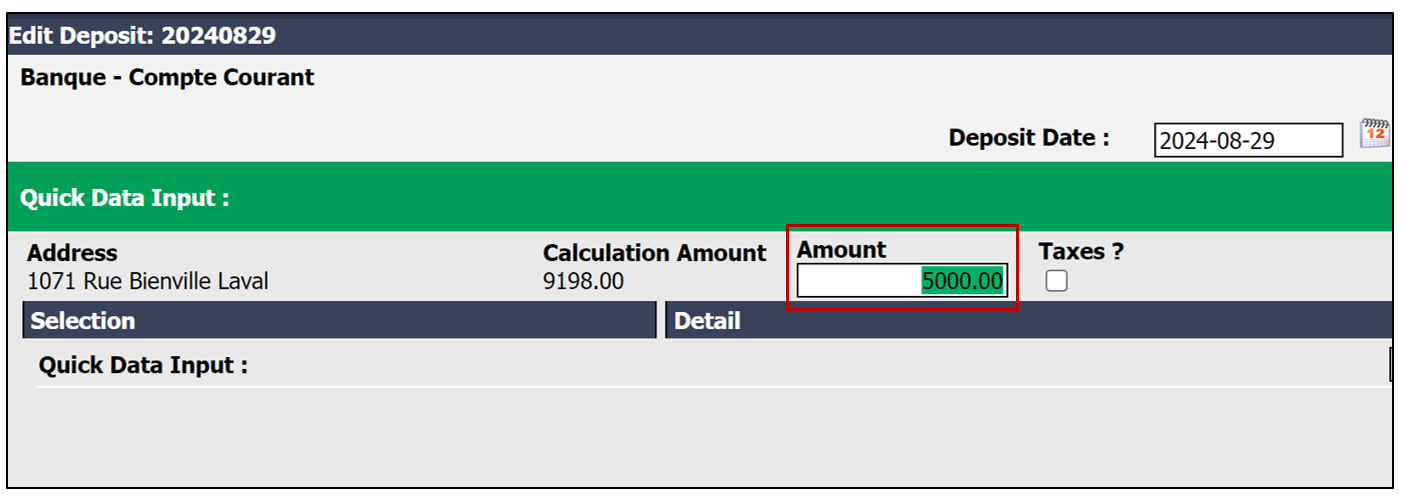
- Enter the Amount , then click on Enter.
- Once the deposit information is entered, click on Submit at the bottom of the page.
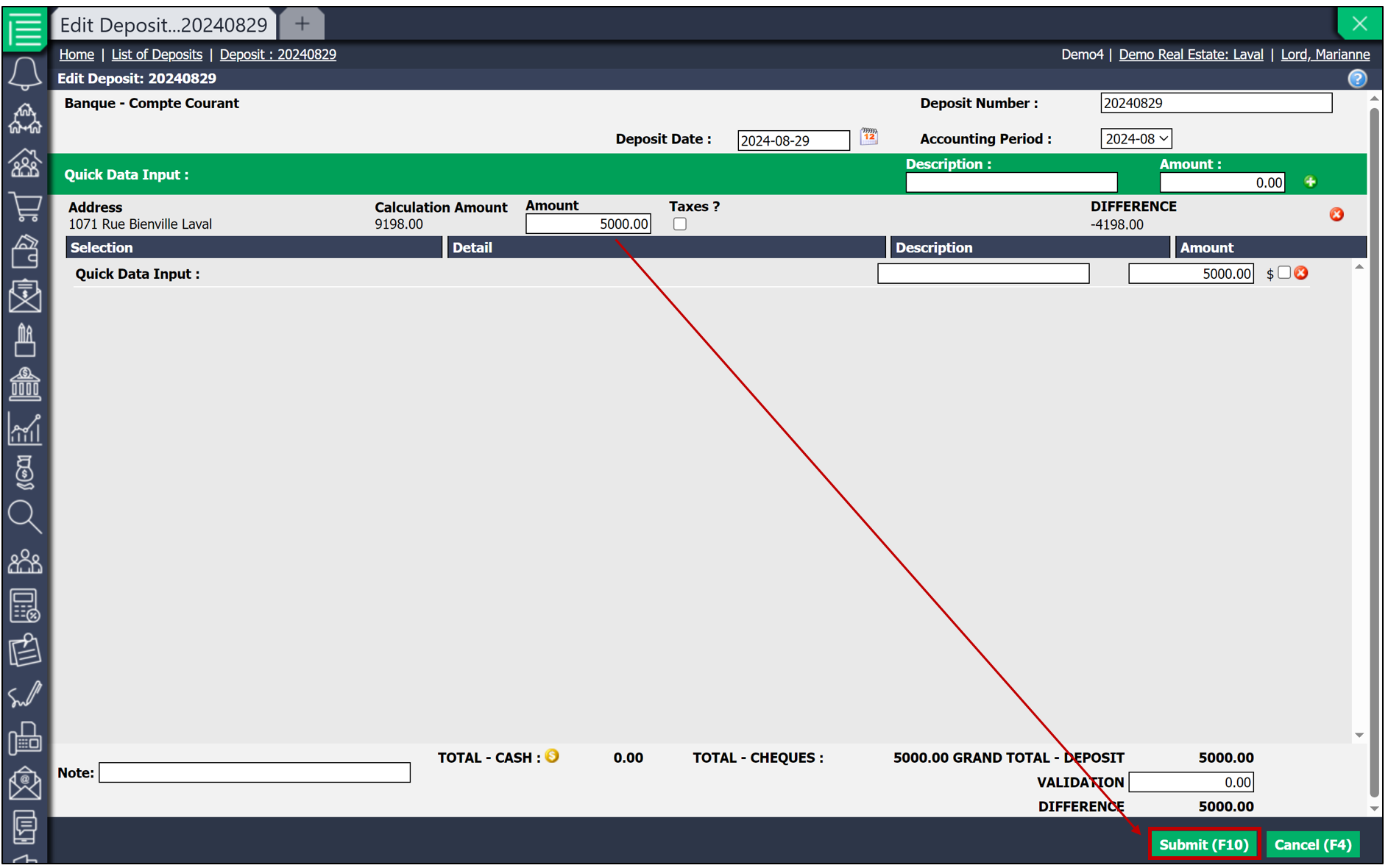
NOTE: If a deposit is left in the Quick Data Input , you will have an Incomplete Deposit.