

English
Reimburse a Trust Deposit
- Click on the Open Wallet icon

to display the New Payment Preparation tab.
- If you need to reimburse a deposit to a Lawyer , a Seller/Buyer or an Other Depositor , start typing his name in the appropriate field and select it from the list.
NOTE: When an agency needs to reimburse itself to pay a commission, start typing the agency name in the Supplier field and select it from the list.
- Select the account to reimburse the funds from (account where trust is held) in the Payment Method field and click on the Check Mark button.

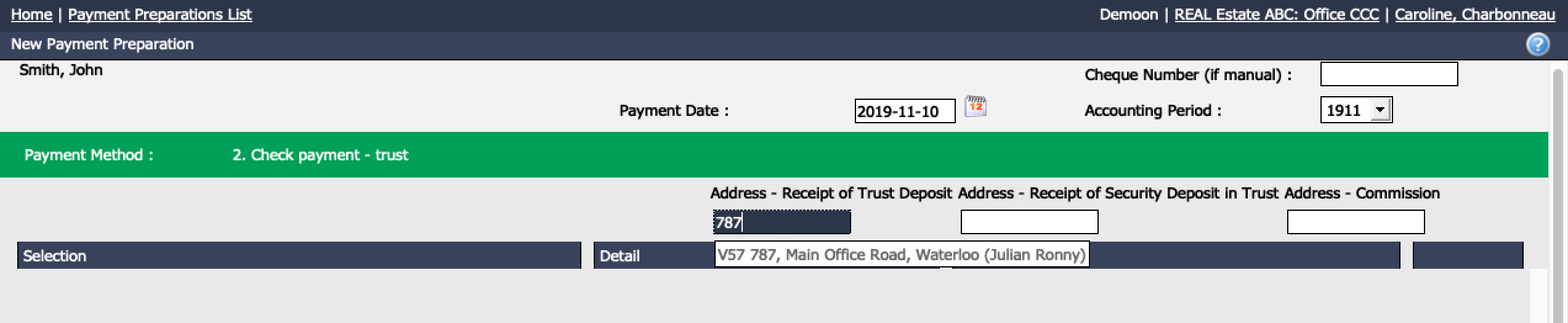
- In the Address - Receipt of Trust Deposit field, start typing the address of the deal in question, select it from the list and press the TAB key on your keyboard.
- System will display and pre-select the Payment Amount to refund to the client. You also have the possibility of changing this amount.
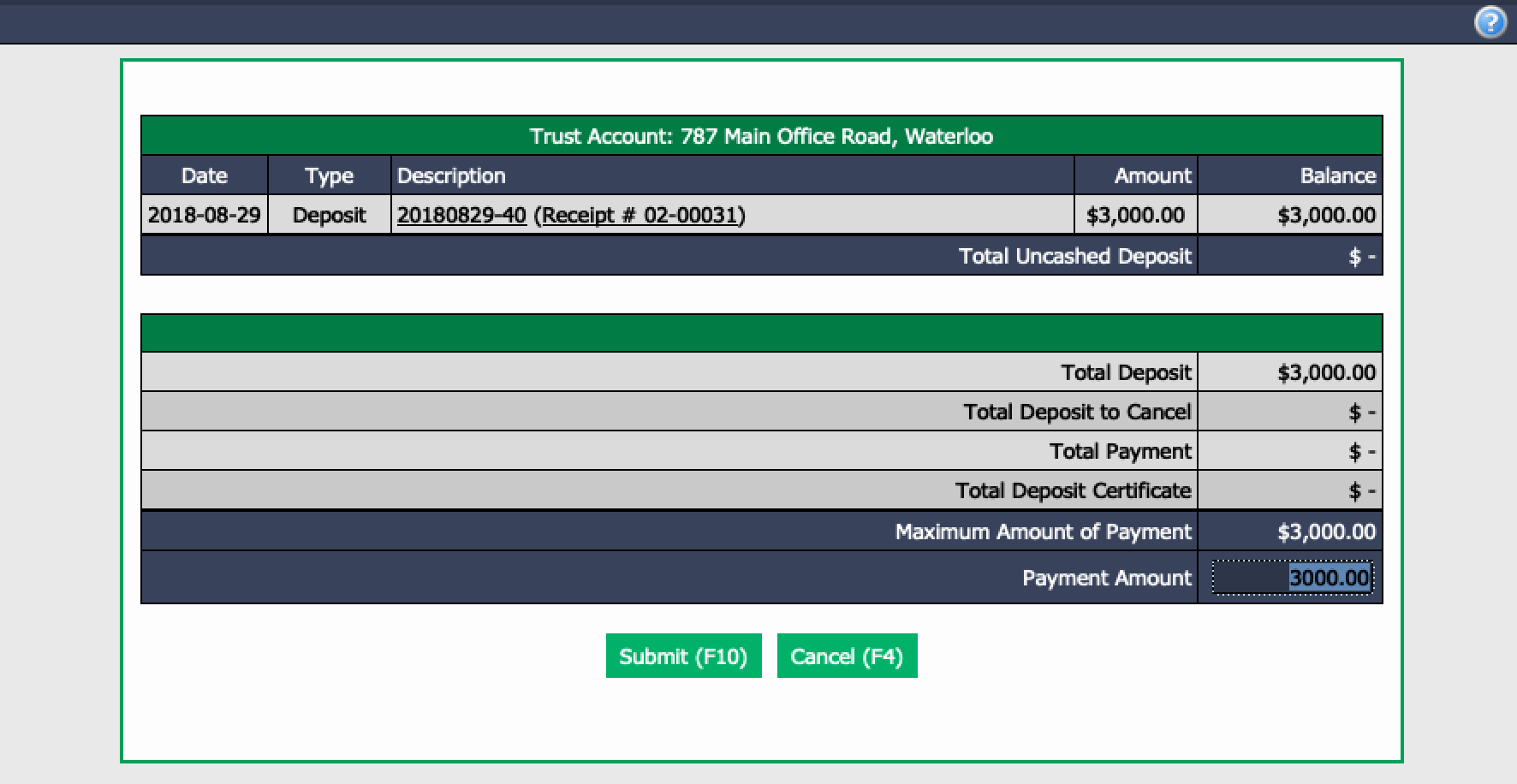
- Confirm the amount and click on Submit.
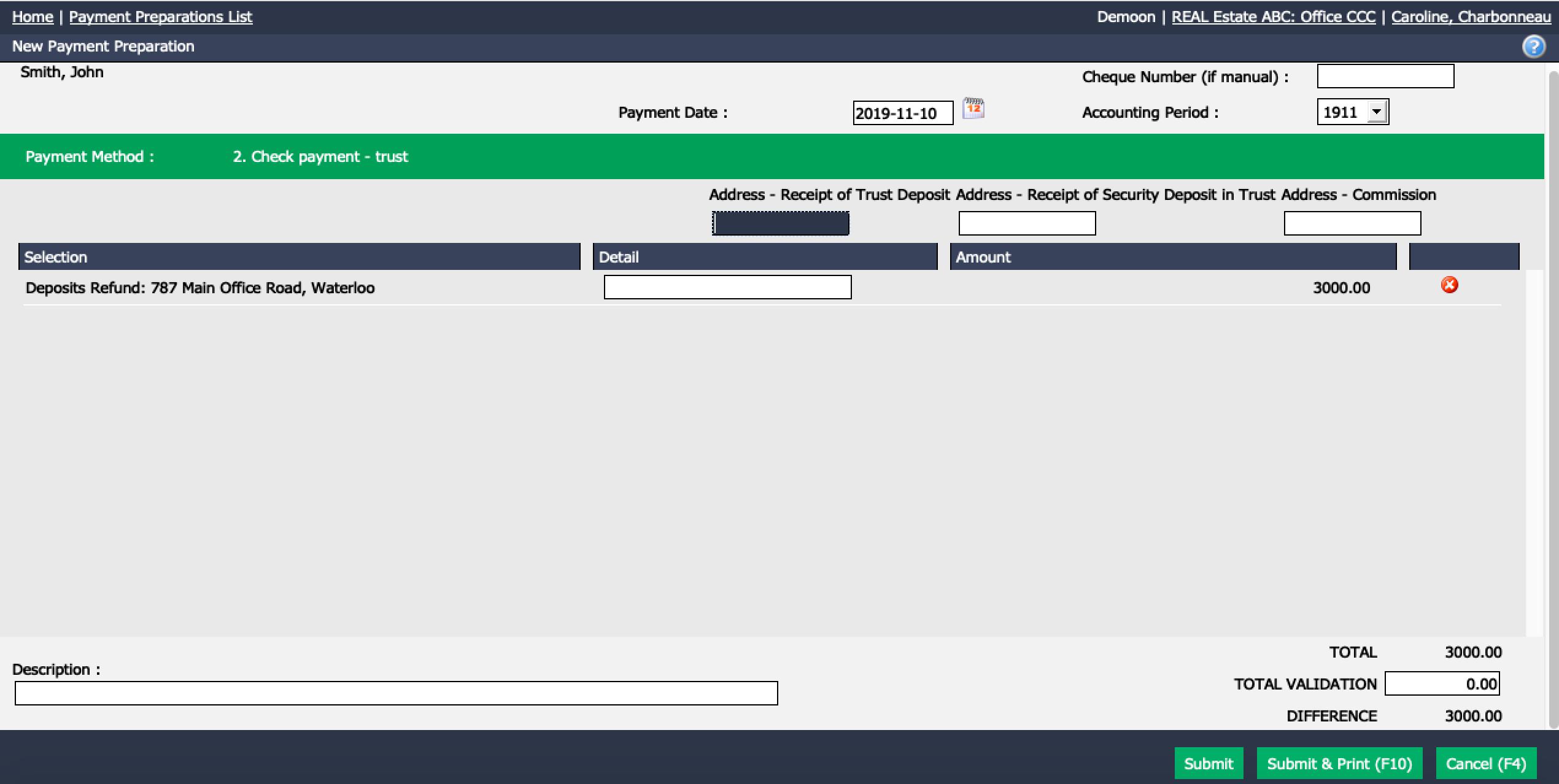
If the cheque is made manually (by hand), put the number of this cheque in the Cheque Number (if manual) field.
If you click on Submit without entering a manual cheque number, the system will create a reminder on your home page notifying you that you have a payment in preparation that you can process later.
If you print cheques, select Submit and Print and the system will then proceed to the next screen where it will request a cheque number and allow you to print the cheque.
The trust deposit will now be refunded in the system.
Related Articles:
- Adding a Trust Deposit
- Adding/Editing a Supplier
- Adding/Editing a Lawyer (100)