

English
External Agencies and Agents
List of External Agencies
From Main menu >> Real Estate >> List of External Agencies.
Former : External agencies from another system.
Manually Created : External agencies that were created manually in the system.
Imported : In Quebec, external agencies are imported directly from the real estate board (changes are made automatically).
Create Manually an External Agency
From Main menu >> Real Estate >> List of External Agencies.
Click on Actions >> New External Agency.
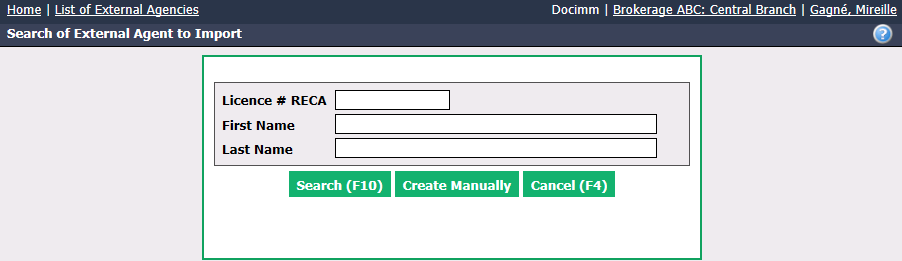
- Click on Create Manually.
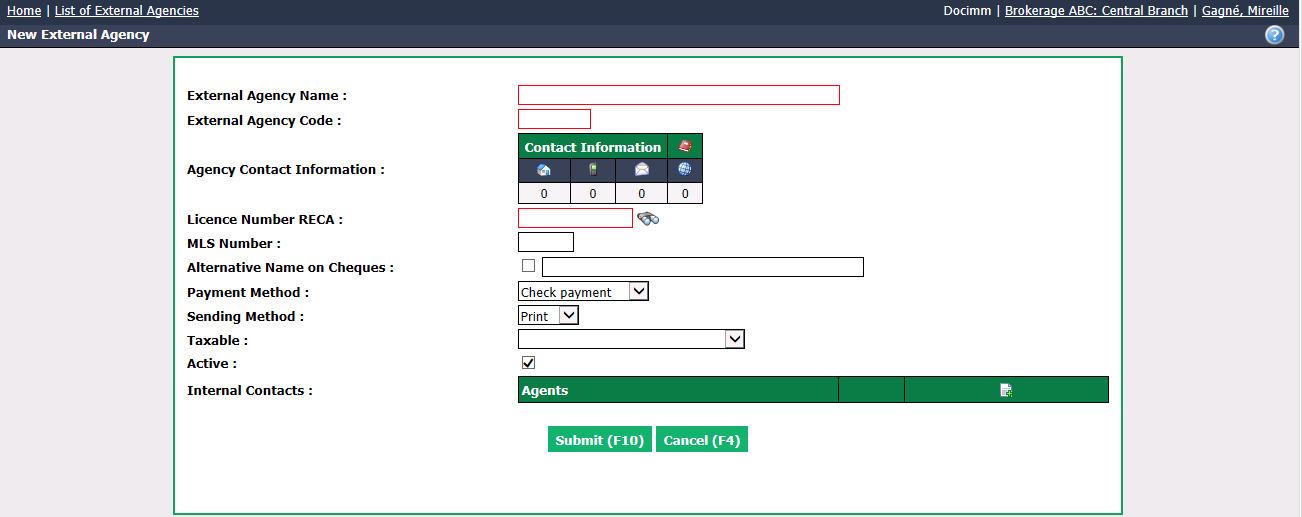
Enter the External Agency Name and the External Agency Co****de (abbreviation, maximum of 6 characters).
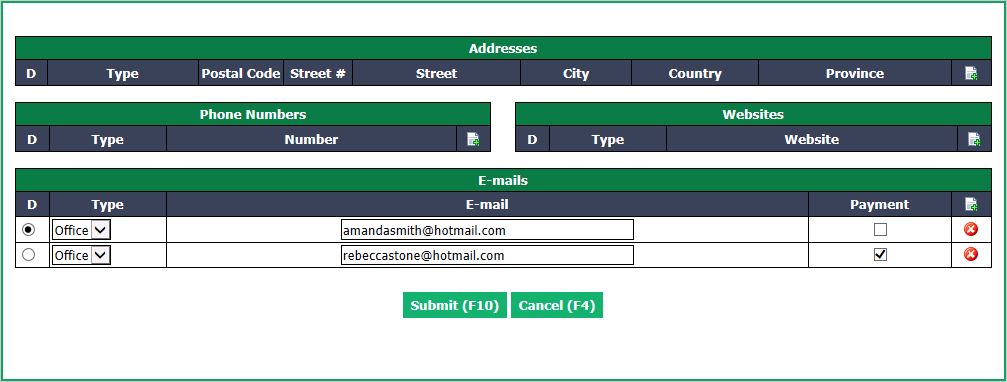
Contact Information for the external agency, i.e. addresses, e-mails, phone numbers and websites, can be added by clicking on one of the icon in the box.
NOTE: You can enter two e-mail addresses: one (with D selected) for the person who will receive the invoice and payment slip and a second for the person who will receive only the payment slip (Payment box checked).
- You can enter the agency’s Licence Number with his governing body (RECA in this example) directly in the field or search for it by clicking on the Binoculars icon (depending on the province of the licence number displayed, the organization or real estate council page will be displayed).
Warning
The Licence Number field is mandatory. If you don’t have this number, you must put an "X" in the field.
You can enter the MLS Number if you have it.
Alternative Name on Cheques : If you want a name other than the external agency on the cheques, check the box and write the desired name.
Select the Payment Method : Check payment or Electronic transfer.
Warning
If you choose an electronic transfer as Payment Method , you must save the external agency information at least once and then go add a bank account.
Select a Sending Method of the documents:
- Print: Hard copy
- E-mail: Attached file
Make sure you select the appropriate tax configuration for your province in Taxable.
Active will be checked when the external agency is active. To inactivate an external agency, uncheck this box.
Internal Contacts : Click on the Sheet with a + icon to add at least the Last Name and First Name of an external agent. Other information from this agent is not mandatory. Click on Submit to add the contact.
Warning
It is mandatory to add at least one agent in Internal Contacts. If you don’t have an agent to enter, you need to click on the Sheet with a + icon, enter a "." in the Last****Name field and in the First Name field.
Click on Submit and the external agency will be added in the system.
Once the agency is created, you can add Tax Numbers by clicking on the Edit icon

.
Adding an External Agency or Agent to a Transaction
From the desired transaction, click on Actions >> Edit Transaction.
Go to the bottom of the "Deal Information" section.
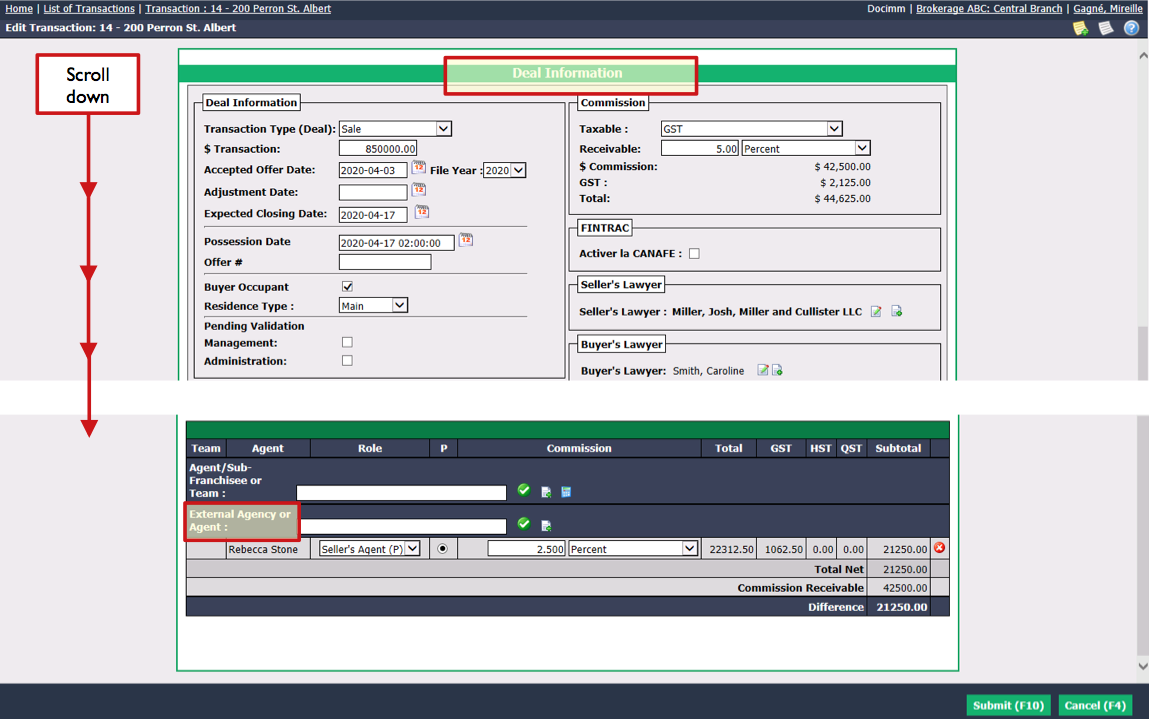
If the External Agency or Agent exists in the system:
- Start typing the name of the external agency or agent in the field, select it from the list and click on the Check Mark button.
- The external agency or agent will be added to the transaction.
If the External Agency or Agent**** does not exist in the system:
- Click on the Sheet with a + icon.

* We recommend filling in these 3 fields: **Licence #** (RECA in this example), **First Name** and **Last Name**.
* Click on **Search**.
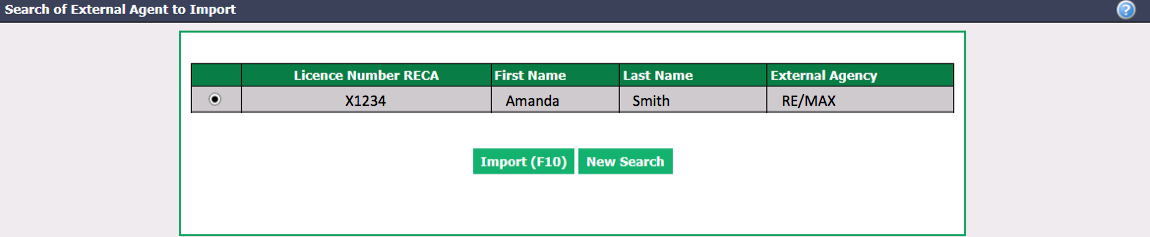
* If it is the agent you are looking for, check the circle and click on **Import** and the agent will be added to the transaction.
* If the agent you are looking for does not appear, you will need to **Create Manually** (see above in this article for instructions).
Editing an External Agency
Select the external agency from the List of External Agencies.
From the Actions menu, you have the option to:
- Edit External Agency: Make the desired changes and click on Submit to save them.
- Print Address Labels:
- Edit Bank Account: If the current payment method is "Check payment" and you want to change it to "Electronic transfer", you must check the Direct Deposit box and enter the appropriate Transit , Institution and Bank Account numbers. If the current payment method is "Electronic transfer", you can modify the bank account information for EFT (electronic funds transfer). Click on Submit to save changes.
NOTE: Add "0" before the 3-digit institution number.