

English
Adding/Editing a Supply in the System
The supplies relate to purchases entered by an agency with agents/clients, such as envelopes, photocopies, pencils, etc. For more information, see the articles Express Supply Invoicing and Difference between Variable Costs, Supplies and Fixed Costs.
Adding a Supply
- From Main menu >> Accounts Receivable >> List of Supplies >> Actions >> New Supply.
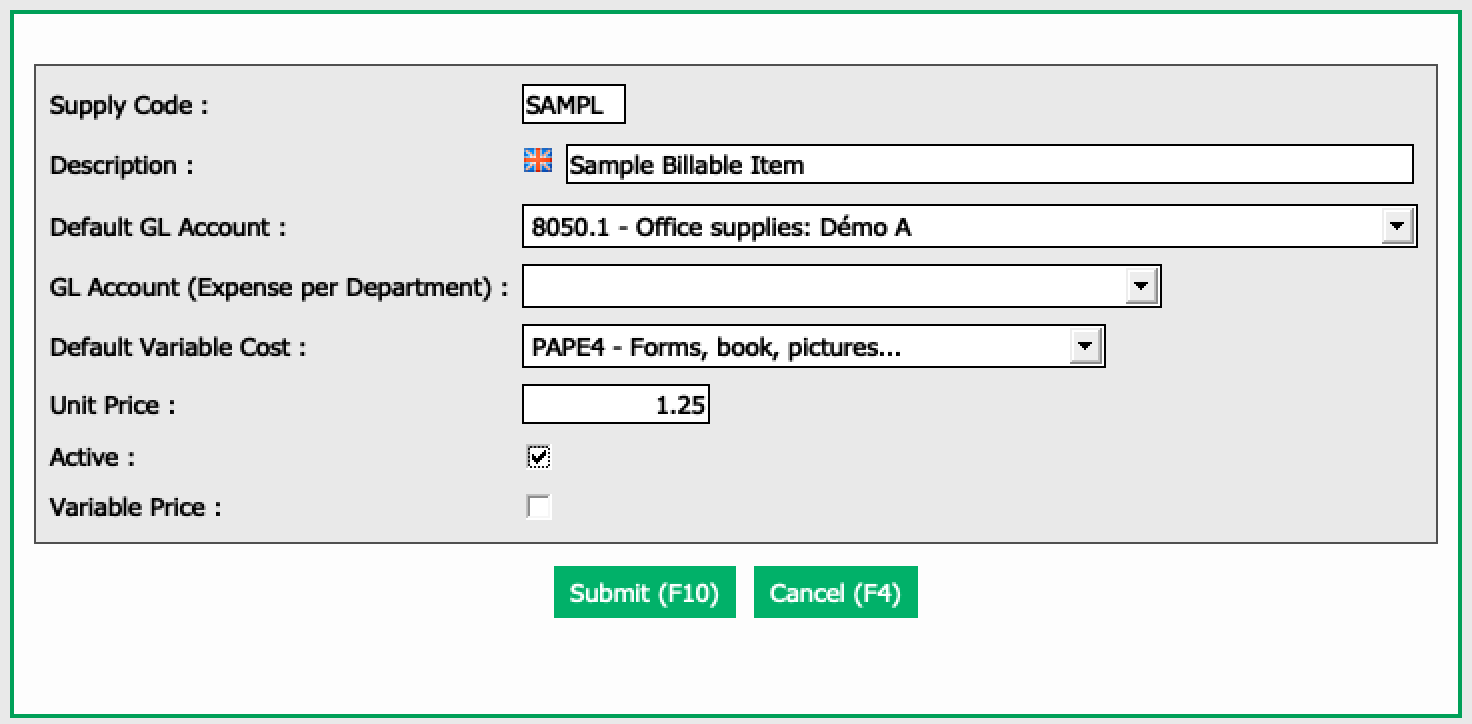
Enter an identifier as a Supply Code , a Description , a Default GL Account that applies to, a Default Variable Cost code and a Unit Price.
If you select Variable Price , you will be able to override the amount of the unit price when entering through express supply invoicing. If you do NOT select this box, the unit price will remain static.
Once all information has been entered, click on Submit.
Editing a Supply
To modify an existing supply, select it from the List of Supplies and click on Actions >> Edit Supply.
Make the desired changes and click on Submit to save them.