

English
GL Analysis
- From Main menu >> General Ledger >> Analysis >> Transactions.
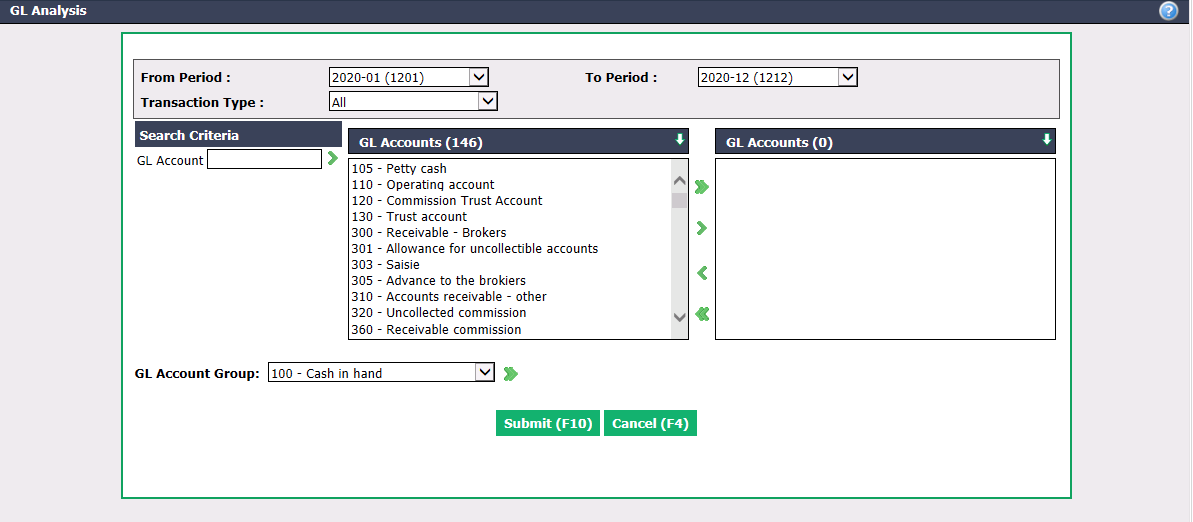
- Select the accounting periods you want to analyze in the From Period and To Period fields.
Remember: 2019-01 = YYYY-MM = January 2019
You can specify the Transaction Type you want to analyze: "All - Purchases – Journal Entries – Commission Calculations – Deposits – Invoices – Payments – Payment Preparations - Payroll".
Select the desired GL Accounts you want to analyze using the green arrows. The double arrow allows you to select all accounts with one click, while the single arrow selects only one at a time.
You can double-click on an GL account to select it instead of using the green arrow.
You can also select a GL Account Group from the drop-down list. For more information, please see the article Adding/Editing a GL Account Group (448).
Click on Submit.
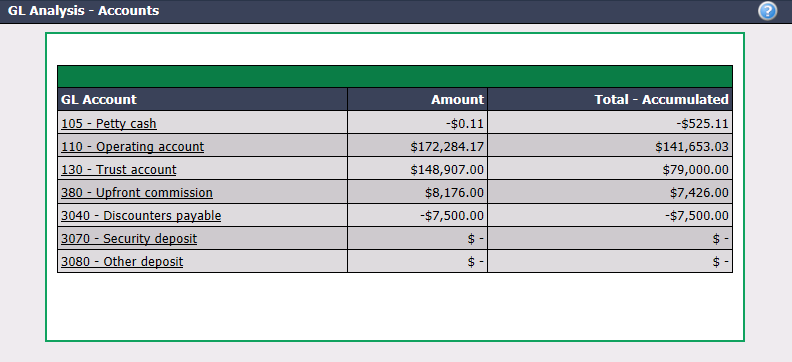
- You can click on a GL Account to see the transactions in this account and its sub-accounts, if applicable.
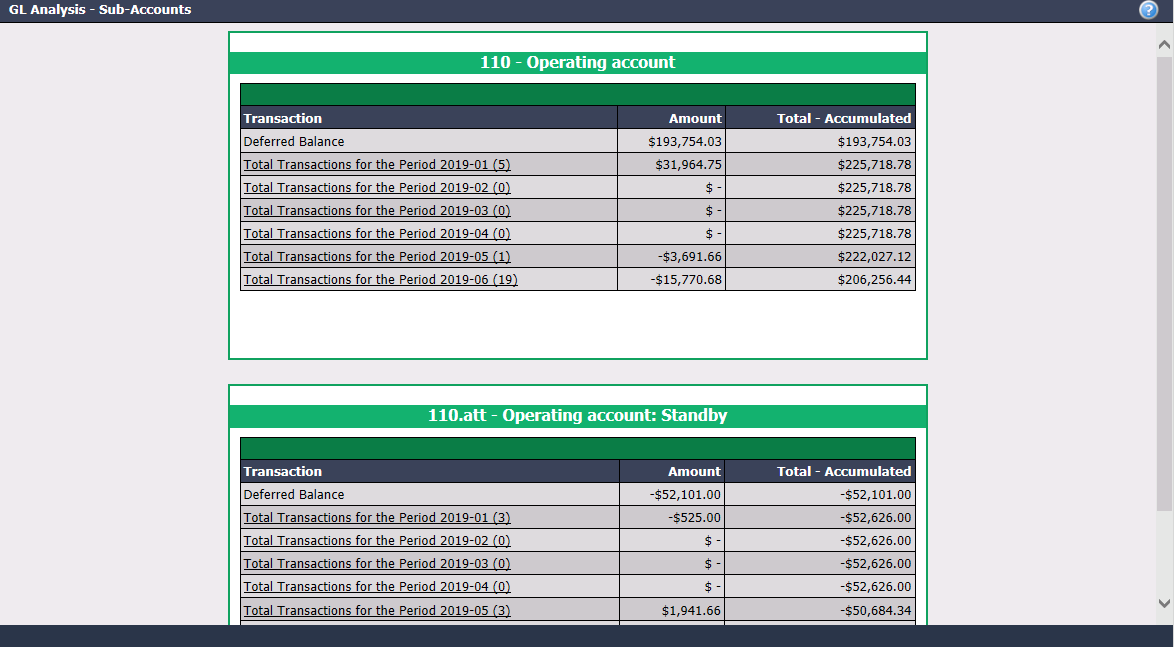
- You can click on a Transaction to see its details.
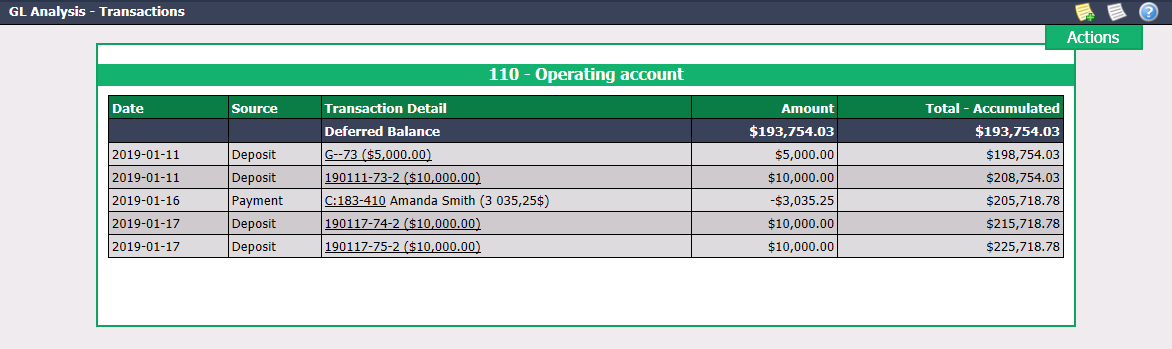
- You can click on the desired Transaction Detail to display the deposit or payment.