

English
Vacation Schedule
It is possible to view a summary of vacation hours that were used by all employees for a given month and year by producing a vacation schedule.
From Main menu >> Payroll >> Vacation Schedule or ;
From Main menu >> Payroll >> List of Employees, click on Actions >> Vacation Schedule.
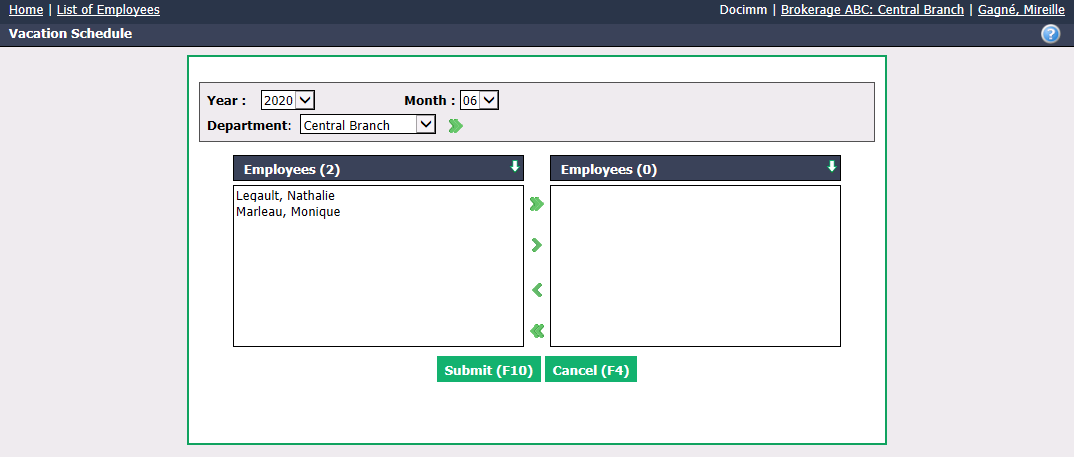
Select the Year , Month , Department (if applicable) from the drop-down list.
Select the desired Employees using the green arrows. The double arrow allows you to select all employees with one click, while the single arrow selects only one at a time.
You can double-click on an employee to select it instead of using the green arrow.
- Click on Submit to display the vacation schedule.
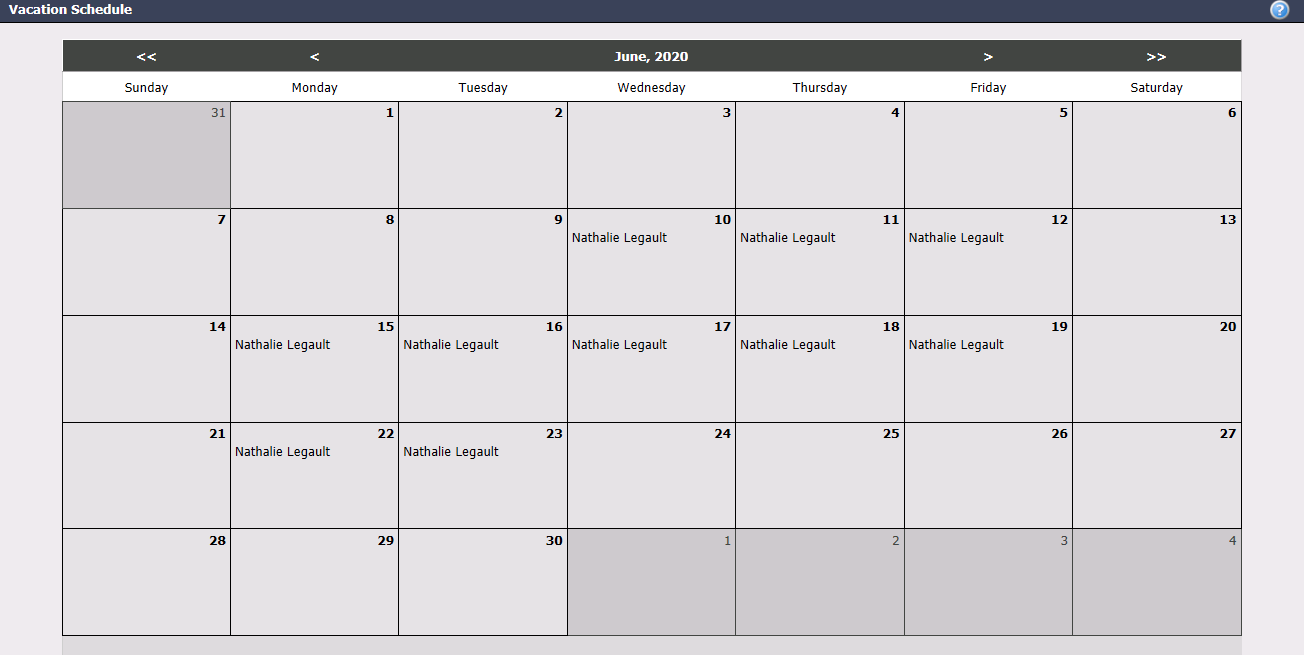
- The names of employees who have used vacation hours will appear in the days of the selected month and year.
NOTE: Planned vacation hours (not yet used) for employees do not appear in the vacation schedule.