

English
Identity Verification
As a real estate agent, sales representative, or a real estate developer, you must identify individuals and confirm the existence of entities for these activities and transactions:
- Receipt of funds
- Client information records
- Large cash transactions
- Suspicious transactions
Entities can be corporations, trusts, partnerships, funds, and unincorporated associations or organizations.
- From Main menu >> Real Estate >> FINTRAC >> Identity Verification.
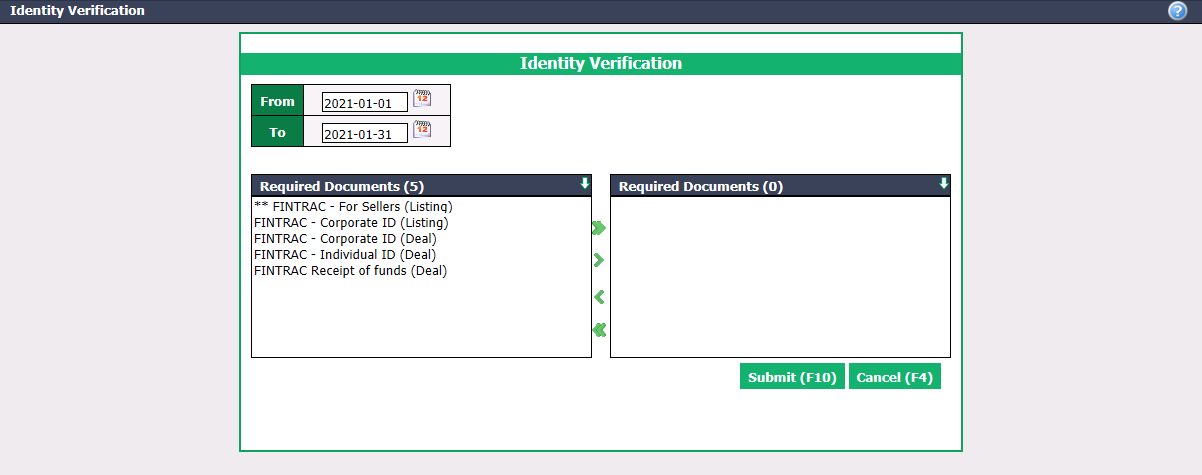
Enter the desired transaction dates in the From and To fields.
Select the desired Required Documents using the green arrows. The double arrow allows you to select all documents with one click, while the single arrow selects only one at a time.
You can double-click on a required document to select it instead of using the green arrow.
NOTE: The required documents must have the Include in FINTRAC Report box checked to appear in the identity verification. For more information, please see the article Adding/Editing a Required Document.
- Click on Submit to display the list of transactions.
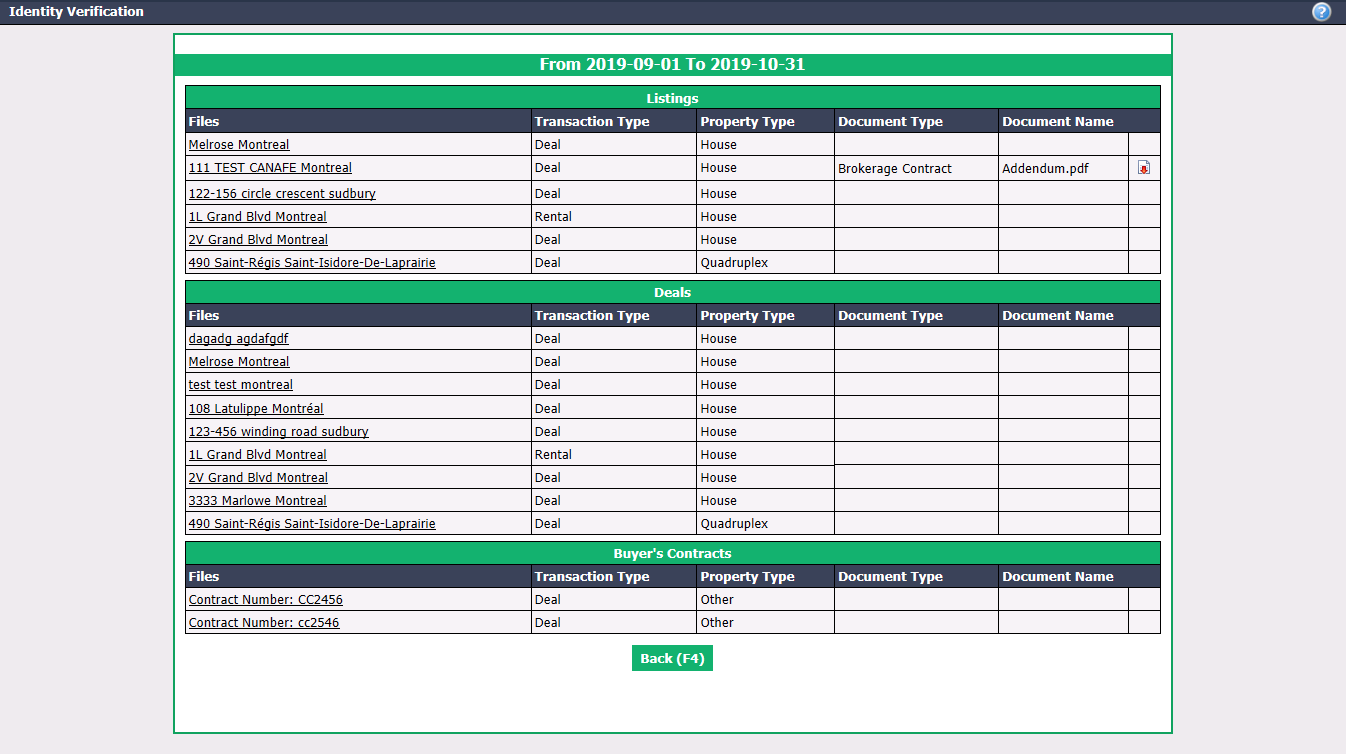
- To the right of the desired document, you can click on this icon

(Download) to open or save the file in your computer and thus proceed with the verification.
NOTE: You can click on a file to show its information.