English
Payment Preparation Report - General
It is possible to produce a report to display all the payment preparations that have been entered into the system (pending and processed) for a given date(s)/period(s).
- From Main menu >> Accounts Payable >> Payment Preparation Report.
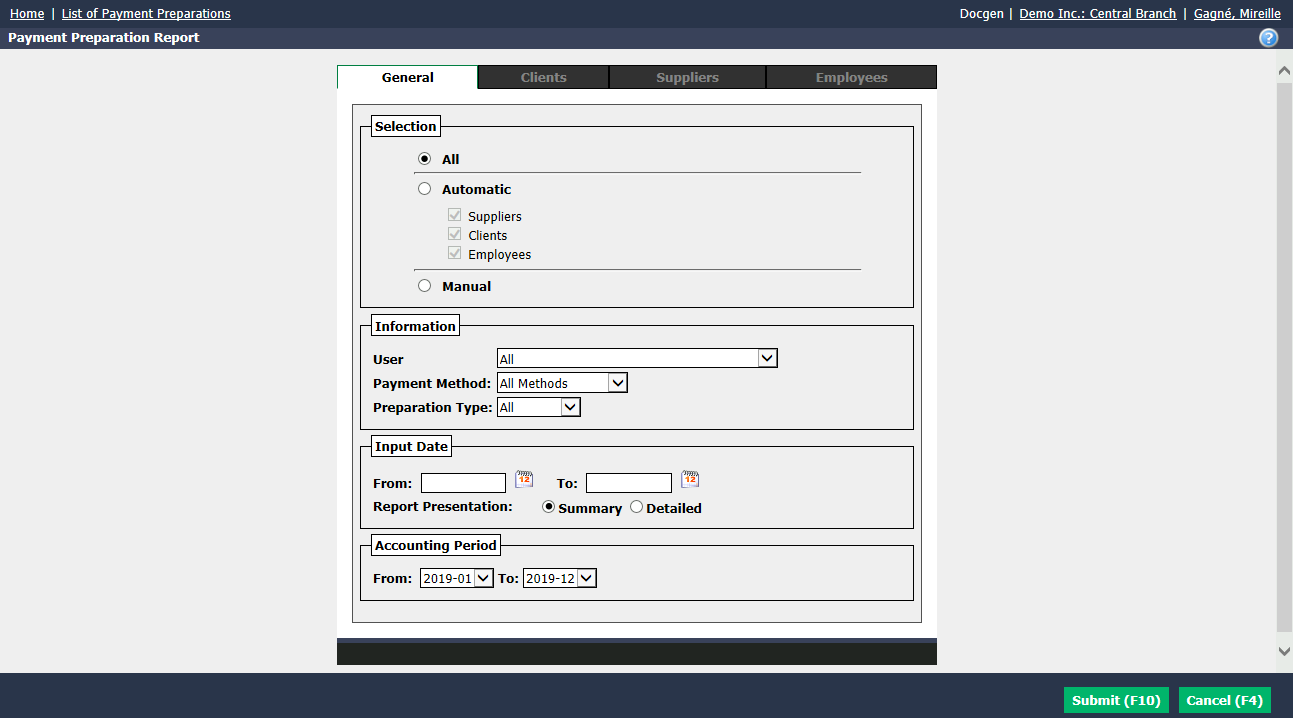
"General" tab/"Selection" section
All : If you check this box, you will select all the payment preparations that exist in the system.
Automatic : If you check this box, you will be able to select the desired boxes (clients, contacts, suppliers and/or employees) to include their payment preparations.
Manual : If you check this box, you will be able to select specific individuals (by clicking on the appropriate tabs and from lists of clients, suppliers and/or employees) to include their payment preparations.
"General" tab/"Information" section
You can filter the payment preparations by:
User : "All" or a specific user (select from the drop-down list).
Payment Method : "All Methods" or a specific payment method ("Check", "Credit card", etc.).
Preparation Type :
- "All": All payment preparations that have been entered into the system.
- "Pending": All payment preparations displayed on the home page under "Cheques in Preparation", "Pending Preparations of Payment by Credit Card" and "Non-Transmitted Electronic Transfers".
- "Processed": All payment preparations that have been processed into the system.
"General" tab/"Input Date" section
Enter the desired input dates (date on which the preparation was created in the system) in the From and To fields.
Select Report Presentation :
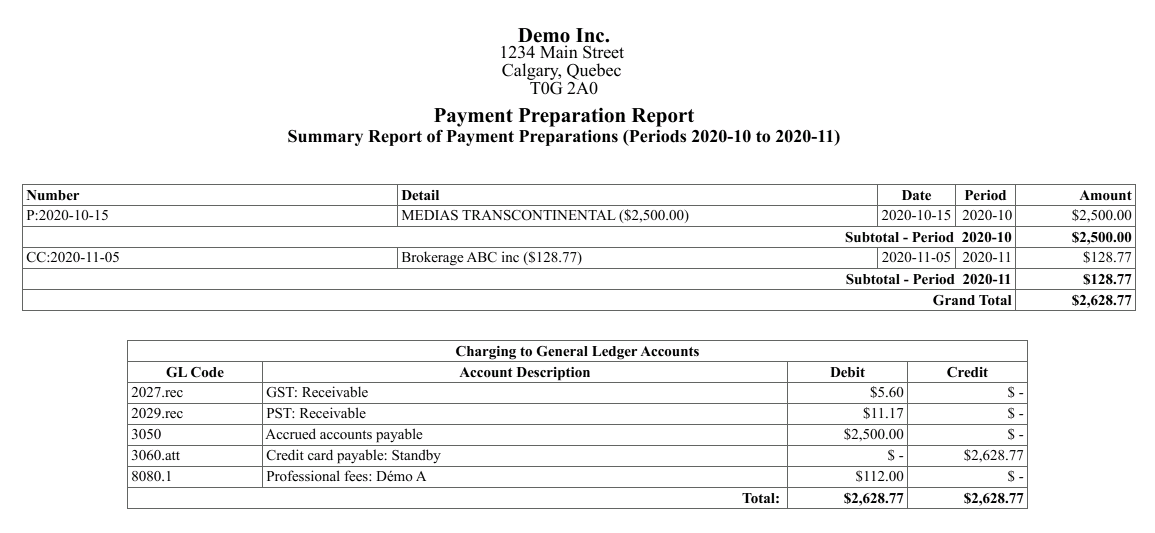
- Summary : For each payment preparation, you will see the basic information (number, detail, date, period, amount).
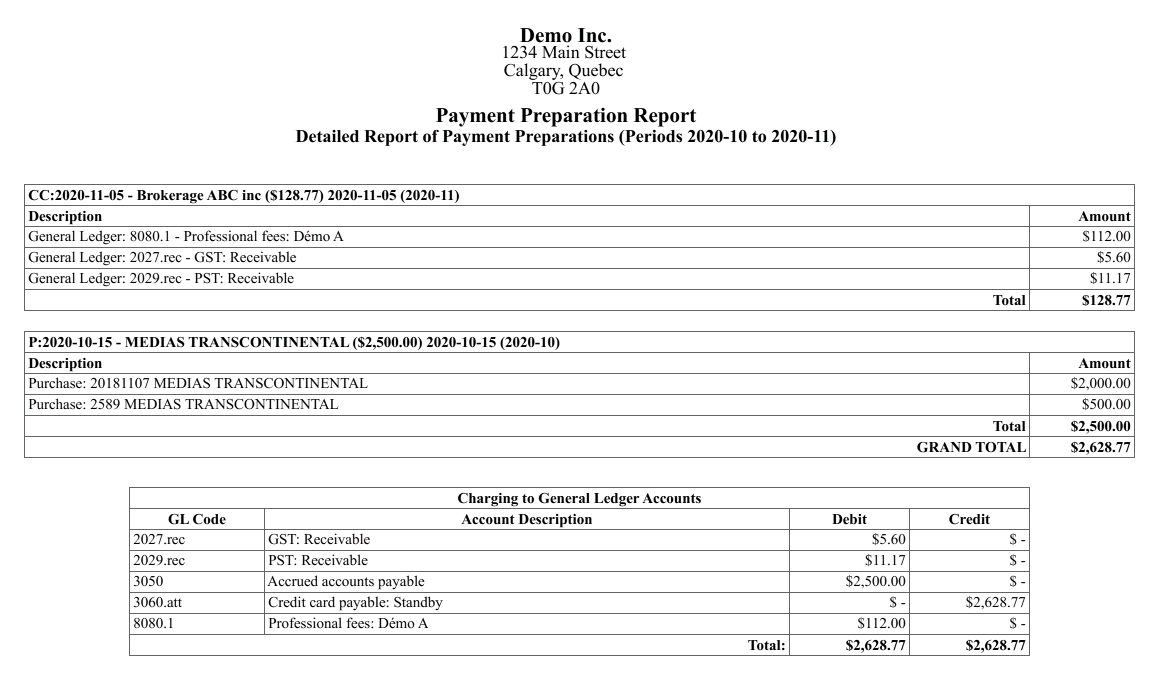
- Detailed : For each payment preparation, in addition to the basic information, you will also see the description.
"General" tab/"Accounting Period" section
- Select the desired accounting periods in the From and To fields.
NOTE: You can filter the payment preparations by input date or accounting period.
- Click on Submit.
Example of a summary report:
Example of a detailed report: