

English
Commission Calculation at $0.00 to Credit or Charge a Deduction
From a closed deal, you have the option to credit or charge a deduction to an agent by generating a commission calculation at $0.00.
Crediting or Charging a Deduction
If an agent must be charged for a deduction related to a specific transaction, instead of making a manual invoice, you can charge the agent from the transaction. In addition, you can credit an amount to an agent if he was overinvoiced on a commission payment.
- From the closed deal, click on Actions >> Commission Calculation.
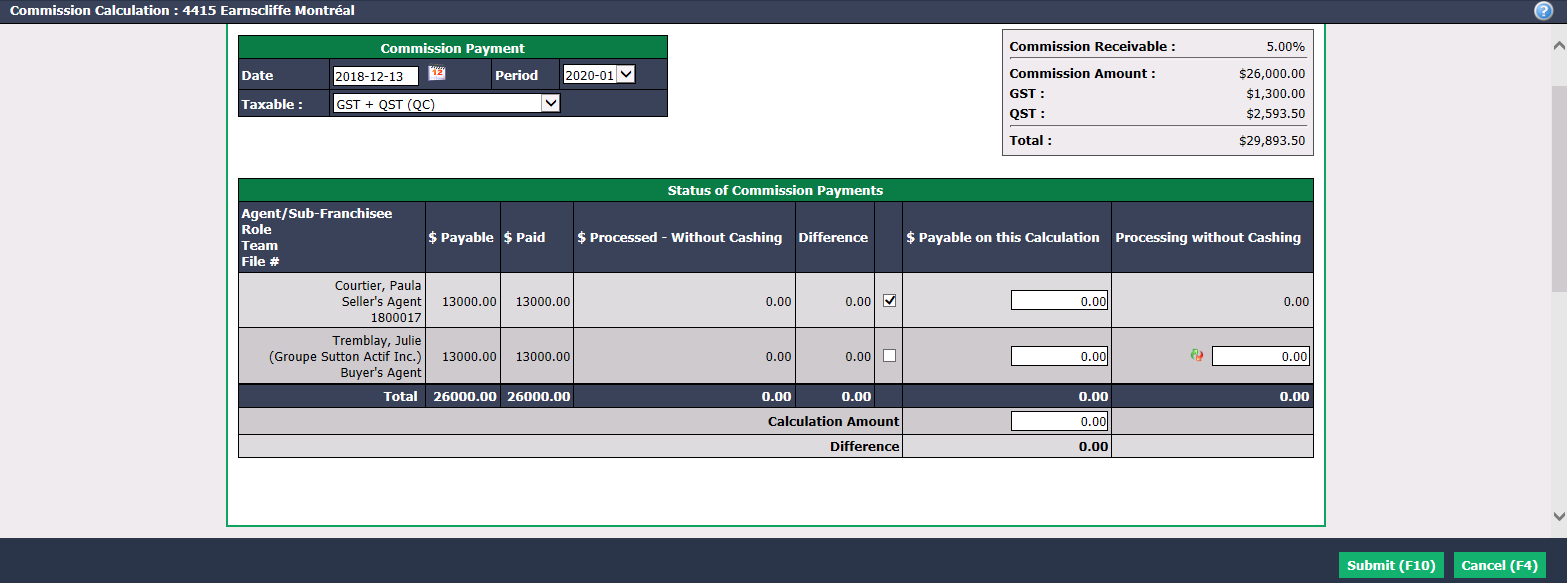
- Check the box of the Agent/Sub-Franchisee you want to modify (credit or charge).
Warning
The Calculation Amount must be $0.00.
Click on Submit.
If the agent has an office deduction configured in his profile, a first table with it will appear. Otherwise, the table that will appear will be the one with the commission fees only.
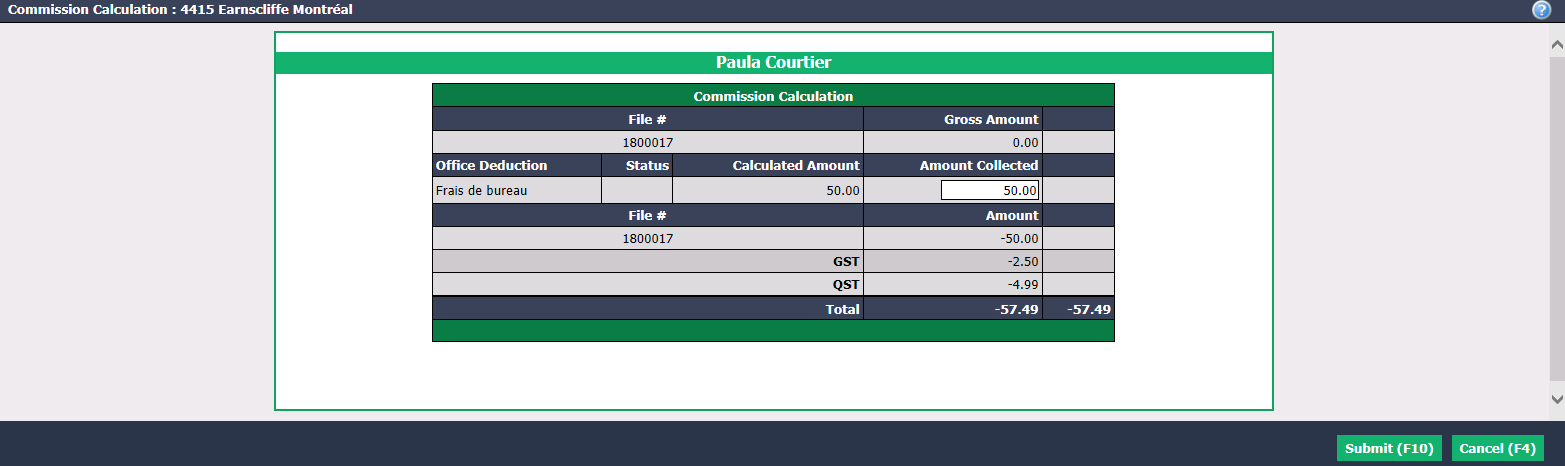
If applicable to the agent, in the Office Deduction section, you can enter an amount to be credited (-) or charged (+) to the agent in the Amount Collected field. In this example, there are no changes to be made.
Click on Submit and the commission fees will appear in the table.
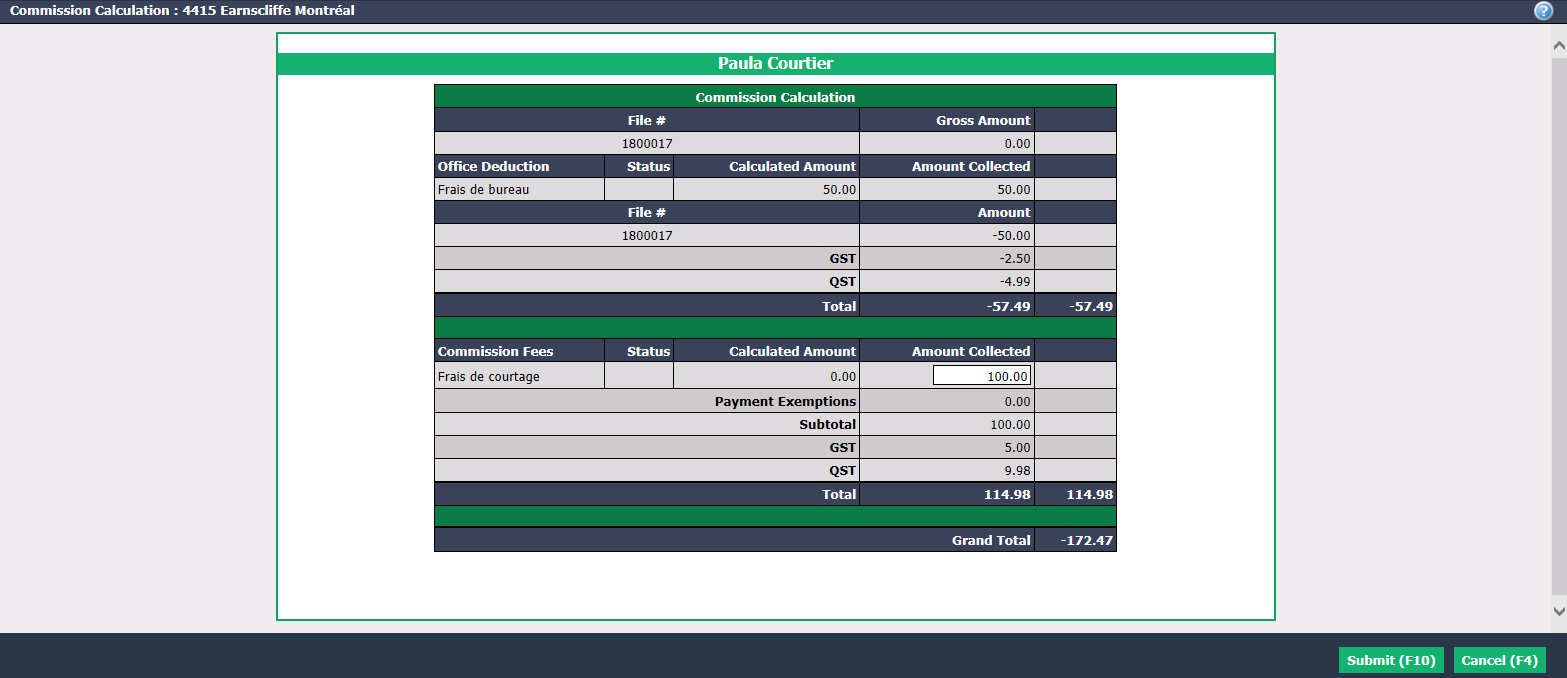
In the Commission Fees section, you can enter an amount to be credited (-) or charged (+) to the agent in Amount Collected. In this example, you charge Paula Courtier $100.00.
Click on Submit and the page of payment deductions table of the agent will appear.
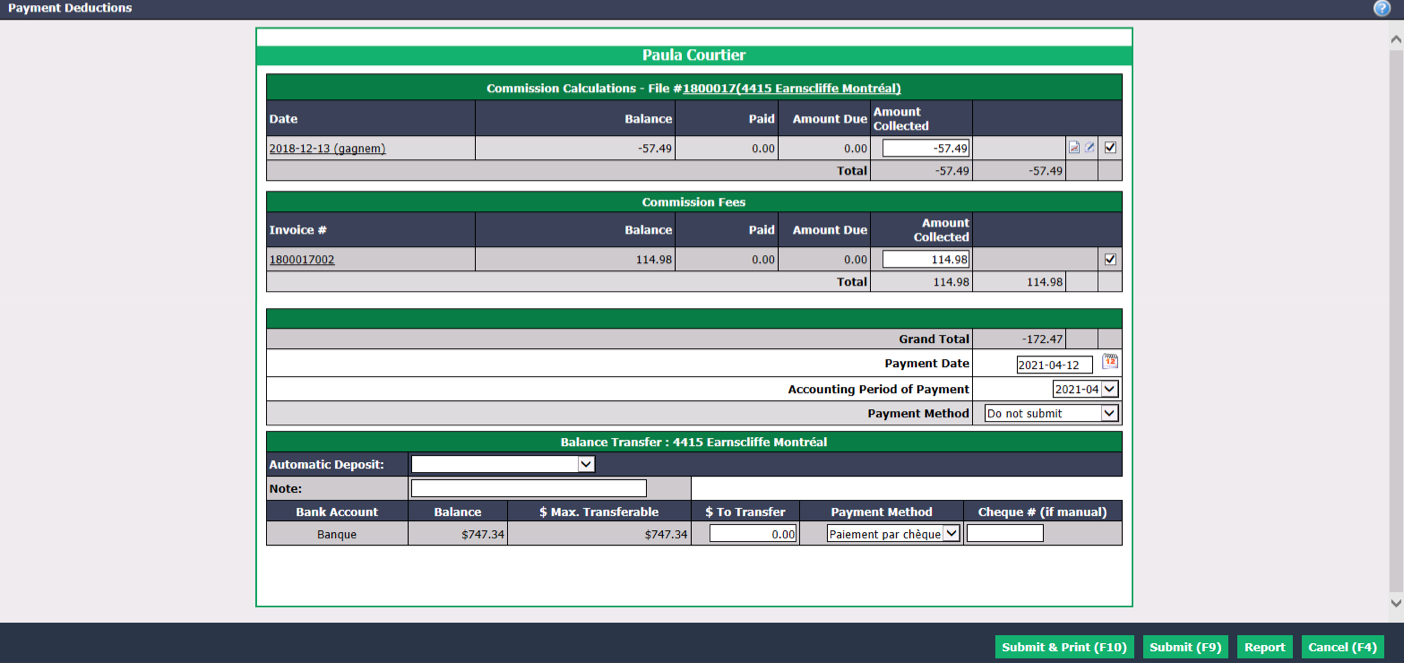
The amount of the Grand Total will be negative because it is an amount that the agent must pay to the agency.
Click on Cancel and the invoice ($172.47 in this example) will be added to the accounts receivable. To pay this invoice, the agent has the option to do so through his commission payment for another transaction or he can issue a cheque that the agency will deposit. For more information, please see the article Receive a Commission Overpayment.