

English
Paying Only Part of the Commission
After concluding a deal, if you receive an amount of money from the lawyer but not all of the commission to be paid, it is possible to pay part of the commission to the agents.
From a deal, click on Actions >> Close the Deal, enter the Closing Date and click on Submit (for more information, please see the article Closing a Deal) or;
From a closed deal, click on Actions >> Commission Calculation.
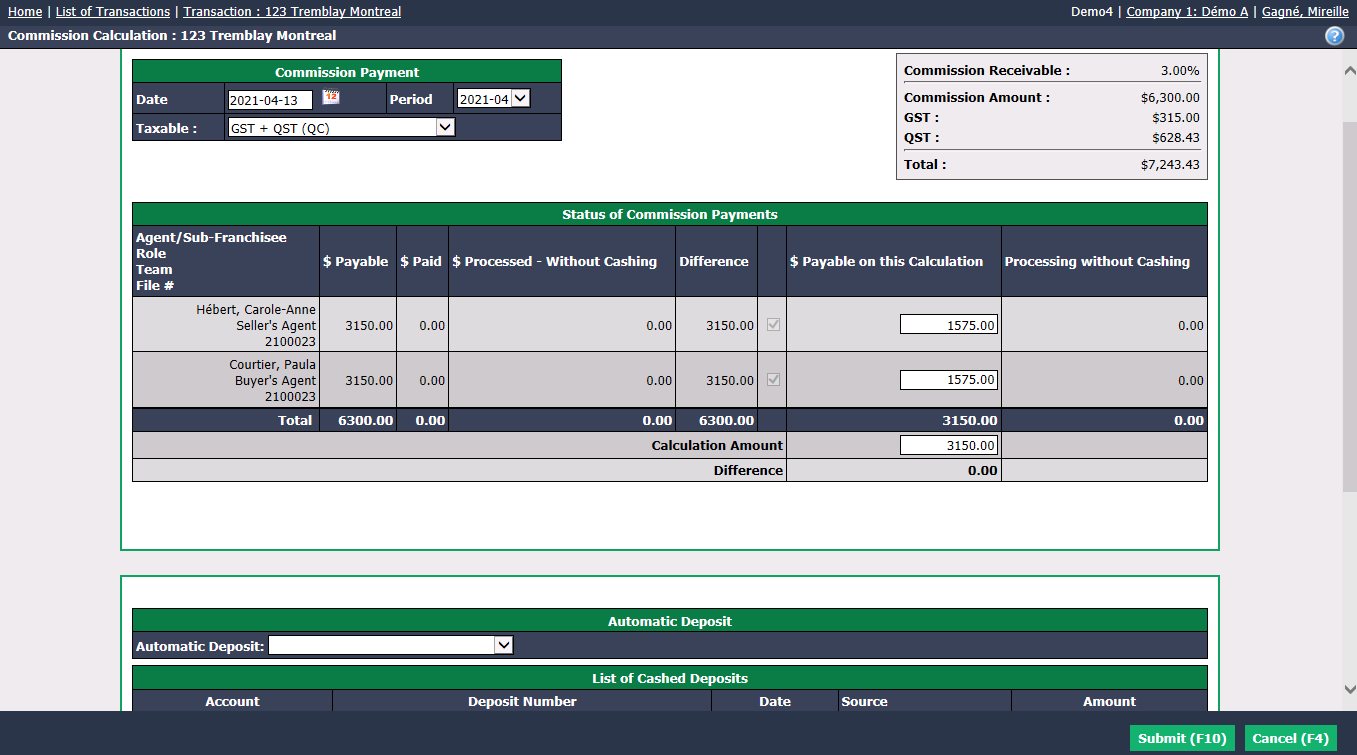
In this example, you received a cheque from the lawyer for half of the total amount receivable ($7,243.43), i.e. $3621.72. You will receive the other half in a month but you want to pay the agents now with the cheque received.
Enter the amount before taxes of the cheque received in the Calculation Amount field, i.e. $3,150.00 in this example.
To calculate the amount before taxes, click on the Percentage icon in the Main menu to open the Tax Calculator. Select the Applicable Taxes , enter the total Amount of the cheque received and click on Submit. In the "Extracting Taxes" table, the Subtotal corresponds to the amount before taxes sought.
- In this example, the commission distribution between agents is 50/50, so the $ Payable on this Calculation to be entered for each of the agents is $1,575.00.
Warning
You must enter the amount in the Calculation Amount field before the $ Payable on this Calculation fields.
The Difference must be $0.00.
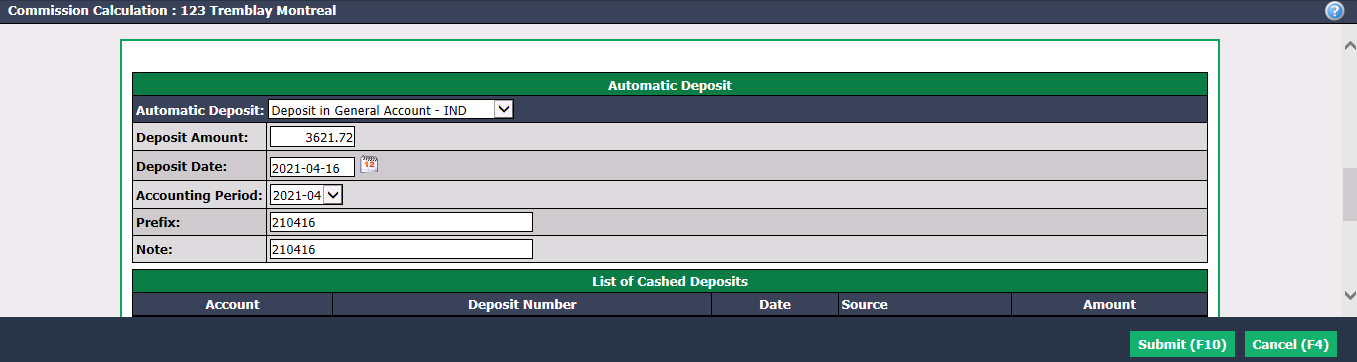
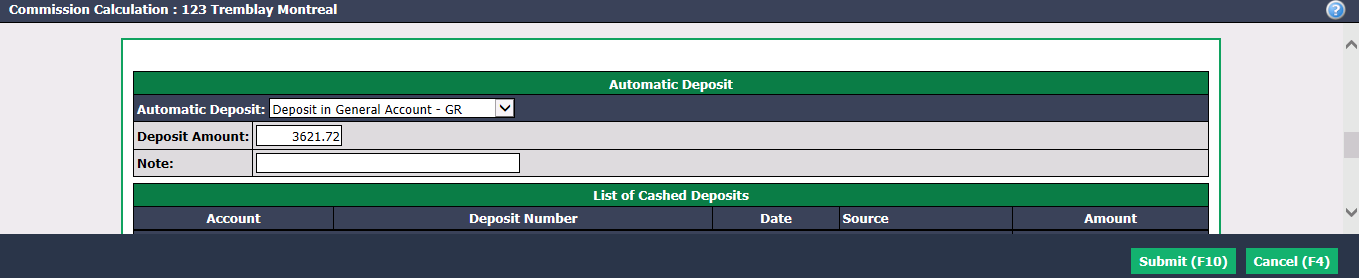
In the "Automatic Deposit" section, from the drop-down list, select the type of account and Automatic Deposit : Individual or Grouped.
By default, the system enters the Total amount ($ 7,243.43 in this example) in the Deposit Amount , but you must enter the amount of the cheque received, i.e. $3621.72 in this example.
Individual
Grouped
Click on Submit.
For the next steps of commission calculation and payment, please see the article Commission Calculation and Payment.
You can add a note in the transaction to indicate that only part of the commission has been paid. For more information, please see the article Adding a Note to a Transaction.
- One month later, when you receive the second cheque from the lawyer ($3,621.71 in this example) and you want to pay the commission balance to the agents, you must open the closed deal sheet and click on Actions >> Commission Calculation.
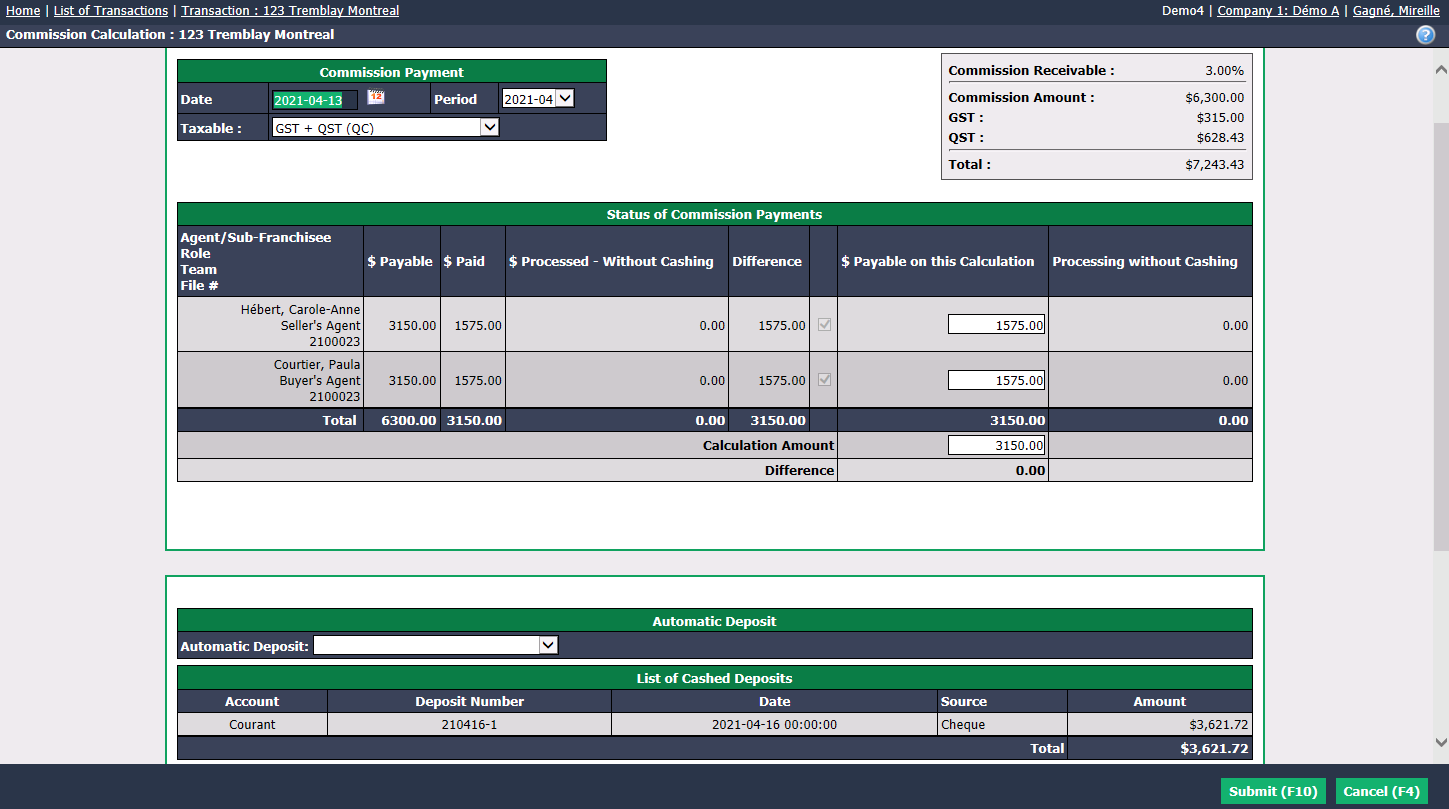
The Calculation Amount , which is the balance of commission payable before taxes, will be entered automatically by the system ($3,150.00 in this example).
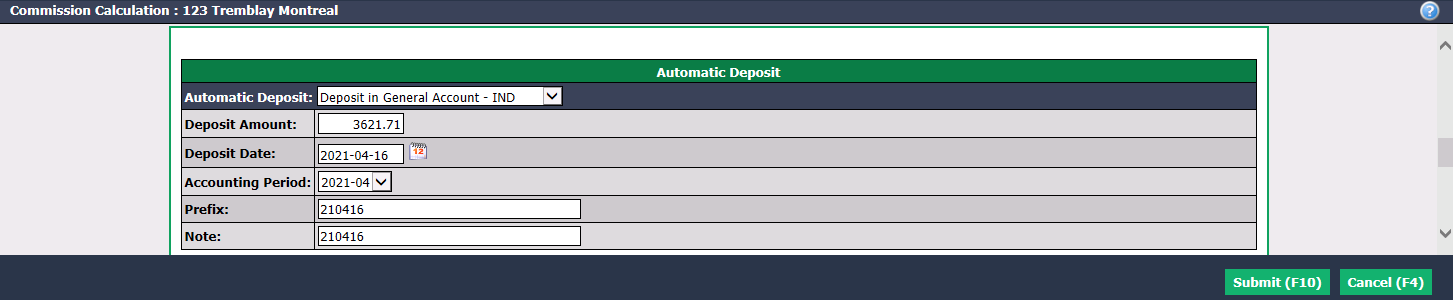
In the "Automatic Deposit" section, from the drop-down list, select the type of account and Automatic Deposit : Individual or Grouped.
Enter the amount of the second cheque received ($3,621.71 in this example) in the Deposit Amount field.
Individual
Grouped

Click on Submit.
For the next steps of commission calculation and payment, please see the article Commission Calculation and Payment.