

English
Authorizations of an Admin User - Human Resources
From an Admin user’s profile, it is possible to manage his authorizations. There are 11 tabs that group together the different types of authorizations. In this article, you will see what each of the authorizations of the "Human Resources" tab allows you to do when "All" is selected.
Human Resources
From Main menu >> Admin. >> List of Users, click on "Admin" and select the desired user.
Click on Actions >> Manage Authorizations.
Click on the "Human Resources" tab.
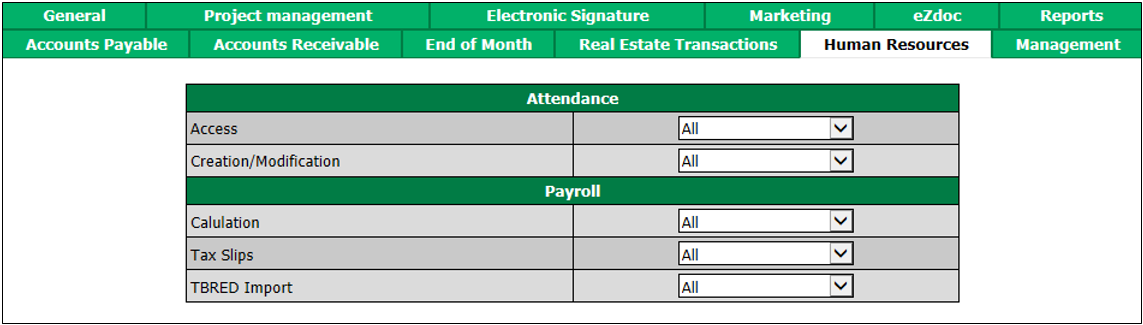
"Attendance" section
This module is no longer available.
"Payroll" section
Cal culation: The user will be able to prepare payrolls and produce all reports concerning payroll.
Tax Slips : The user will be able to view, add and edit tax slips.
TBRED Import : Not applicable.