

English
Business Relationship Search
As a real estate agency/agent, when you have made at least 2 transactions with a person in the last 5 years, you have established a business relationship with that person. It is possible to search the system for business relationships with a particular person in 3 different ways:
- When adding a listing manually or creating a deal
- Directly in the system
- When producing a business relationship report
Business Relationship Search - Adding a Listing Manually or Creating a Deal
- Complete the steps to add a listing manually or create a deal until you add the contact information of the owners and/or buyers, i.e. when you click on the Sheet with a + icon in the Owners and/or Buyers section. For more information, please see the articles Adding a Listing Manually and Creating a Deal.
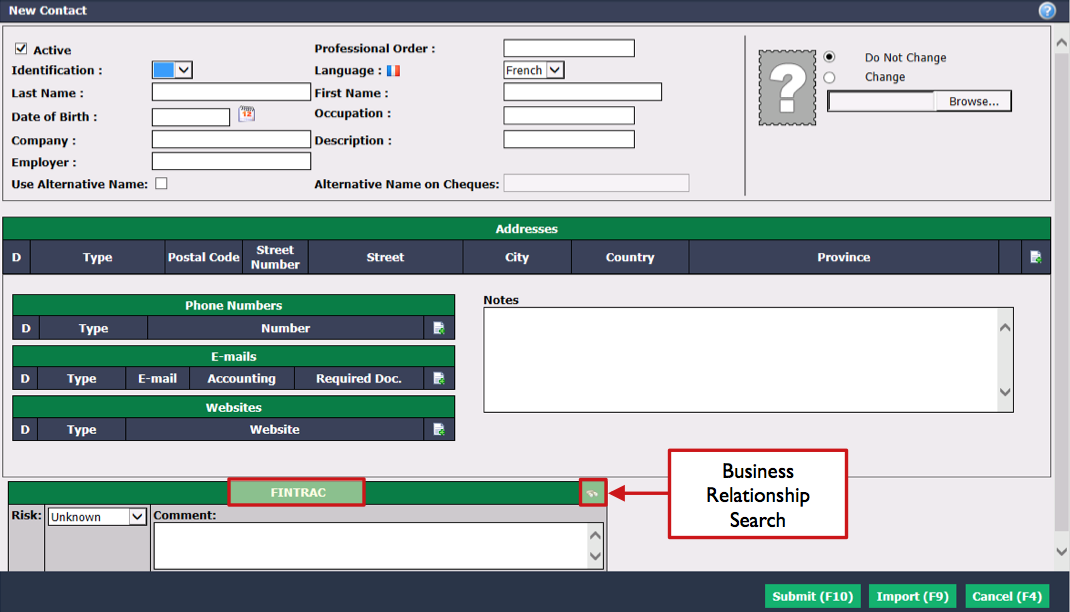
Enter the Last Name , First Name and Date of Birth of the contact.
Click on the search tool (Binoculars icon) in the FINTRAC section.
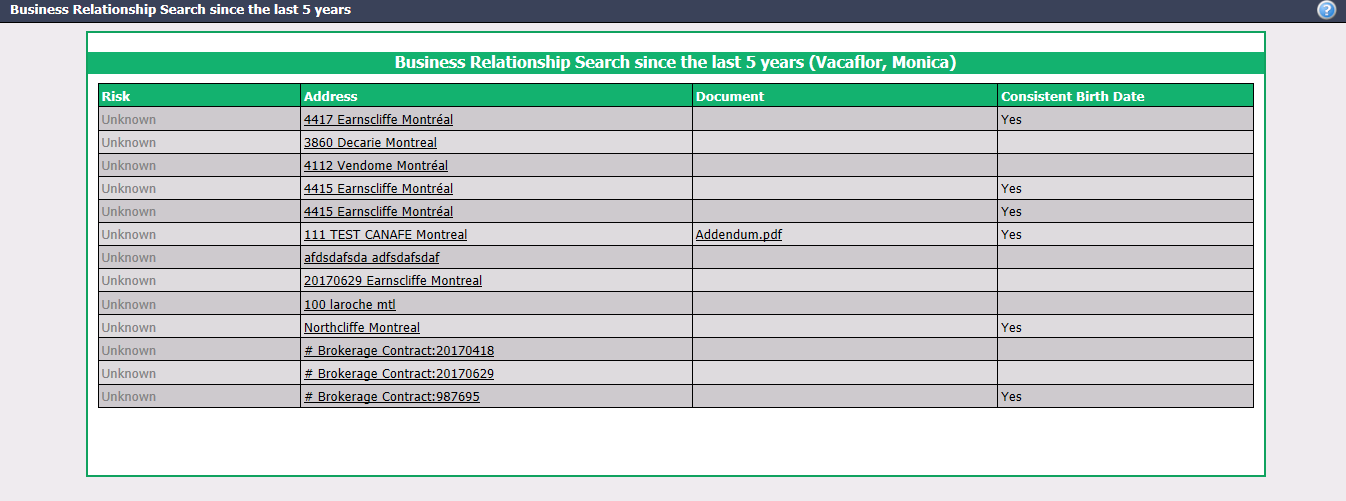
eZmax will display a list of all transactions made in the last 5 years with this contact (with the same first name, last name and date of birth).
From this list, you will be able to click on the Address to access the transaction in eZmax and/or click on the FINTRAC Document to open and review it.
Business Relationship Search - Directly in the System
- From Main menu >> Real Estate >> FINTRAC >> Business Relationship Search.
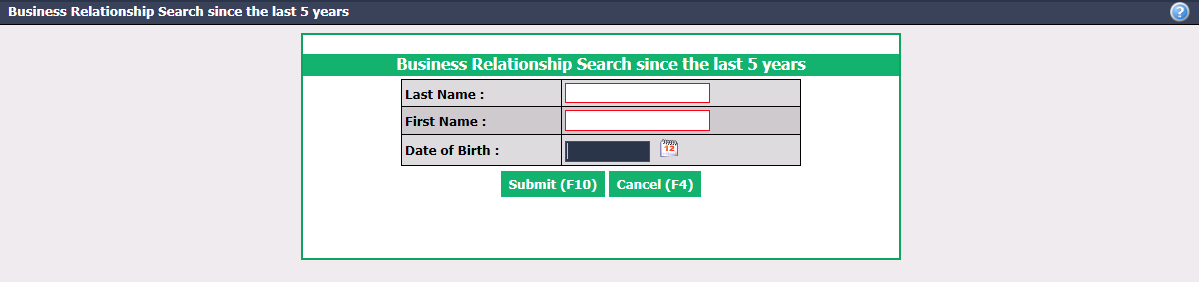
Enter the Last Name , First Name and Date of Birth of the person you are looking for.
Click on Submit.
- From this list, you will be able to click on the Address to access the transaction in eZmax and/or click on the FINTRAC Document to open and review it.
Business Relationship Search - Business Relationship Report
It is possible to produce a report to display all the business relationship in the transactions that have been created into the system during a desired date range.
- From Main menu >> Real Estate >> FINTRAC >> Business Relationship Report.
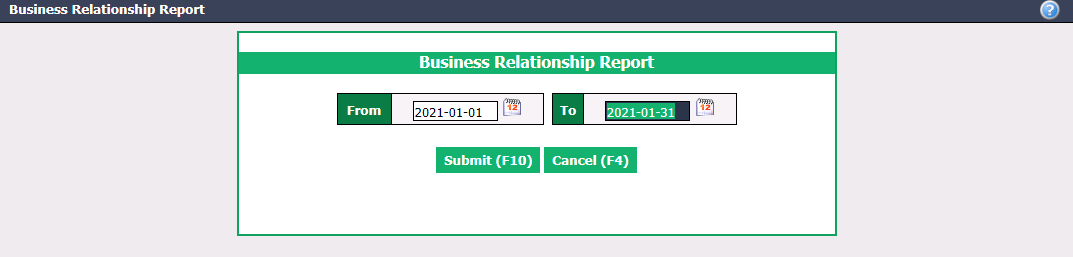
Enter the desired transaction dates in the From and To fields.
Click on Submit.
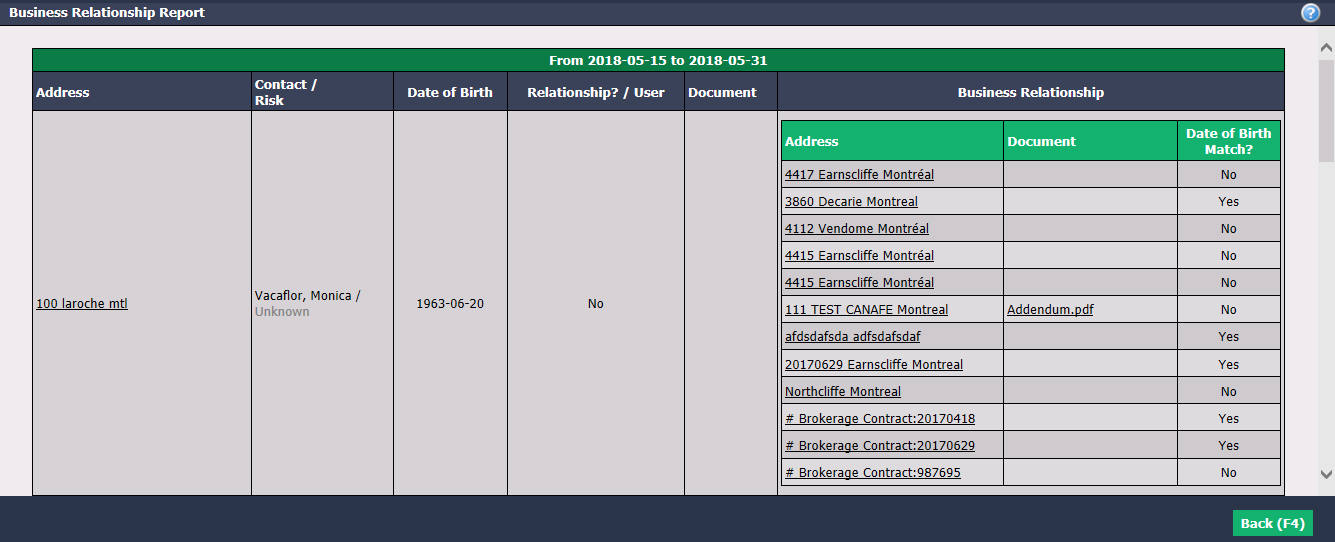
Address : Address of all new transactions that have been created during the date interval displayed.
Contact / Risk : Last name, first name and risk level of the contact that was added when the listing was added manually or the deal was created.
Relationship? / User : Answer to the mandatory question "Apart from the current transaction, has this client made at least 2 other transactions (deal or purchase) with your agency during the last five years?" and name of the user who answered this question.
NOTE: You will see the answer to the question as well as the user only if the agency has activated the FINTRAC questions. For more information, please see the article Adding/Editing/Activation of a FINTRAC Question. Otherwise, you will only see "No" in the Relationship? / User column.
You can click on a Document name to open it.
Business Relationship : The system displays the transactions Address in which the contact has been added in the last 5 years, the FINTRAC Document and the answer to the question "Does the Date of Birth Match? ".