

English
List of Payments by Credit Card
When you make a supplier payment by credit card in the eZmax system, it is automatically added to the list of payments by credit card. You can consult this list to obtain the information of a particular payment.
- From Main menu >> Accounts Payable >> List of Payments by Credit Card.
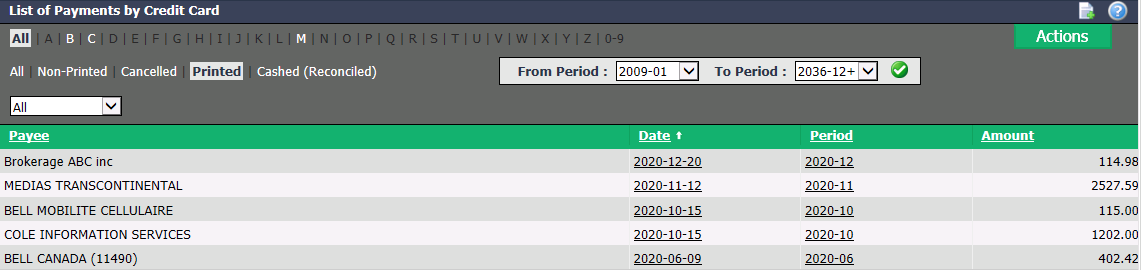
You will be able to see, among other things, the Payee , Date and Amount of each payment.
You can filter the payments by the following types:
- "All": All types of payments by credit card.
- "Non-Printed": Not applicable.
- "Cancelled": All payments by credit card that have been cancelled in the system.
- "Printed": All payments by credit card that are not cashed or have not yet been verified during the account reconciliation.
- "Cashed (Reconciled)": All payments that have been made on the credit card and have been verified during account reconciliation.
You can also filter the payments by accounting period, by entering the desired periods in the From Period and To Period fields and by clicking on the Check Mark button, and by credit card from the drop-down list (for more information, please see the article Adding a Credit Card as a Payment Method (as a Bank Account)).
If you want to get the list in Excel format, click on Actions >> Excel Icon. Click on Open or Save.
Click on the desired Date , Period or Amount to display the payment information.
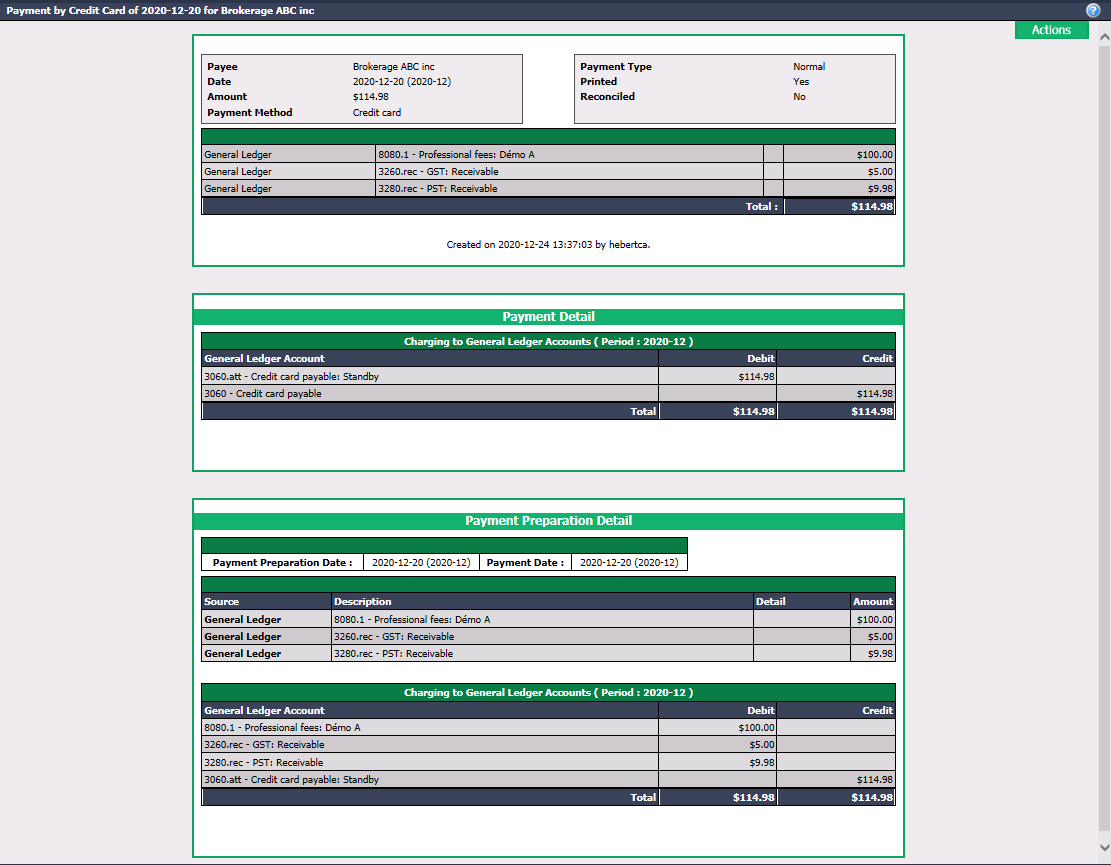
- From the Actions menu, you have the option to:
- Print Authorization: For cancelled, printed and cashed (reconciled) payments.
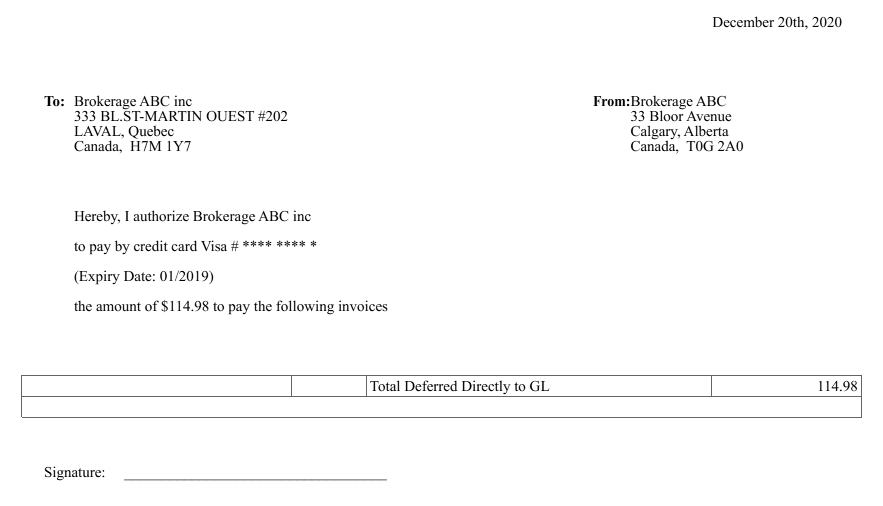
* Cancel Payment by Credit Card: For printed and cashed (reconciled) payments.