

English
Authorization Management of an Admin User
- From Main Menu >> Admin. >> List of Users, click on "Admin" and select the desired user.
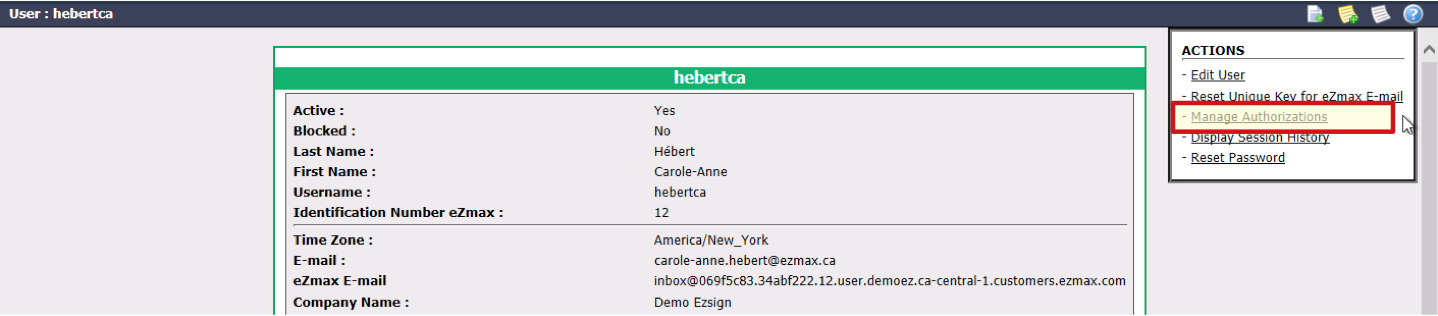
- Click on Actions >> Manage Authorizations.
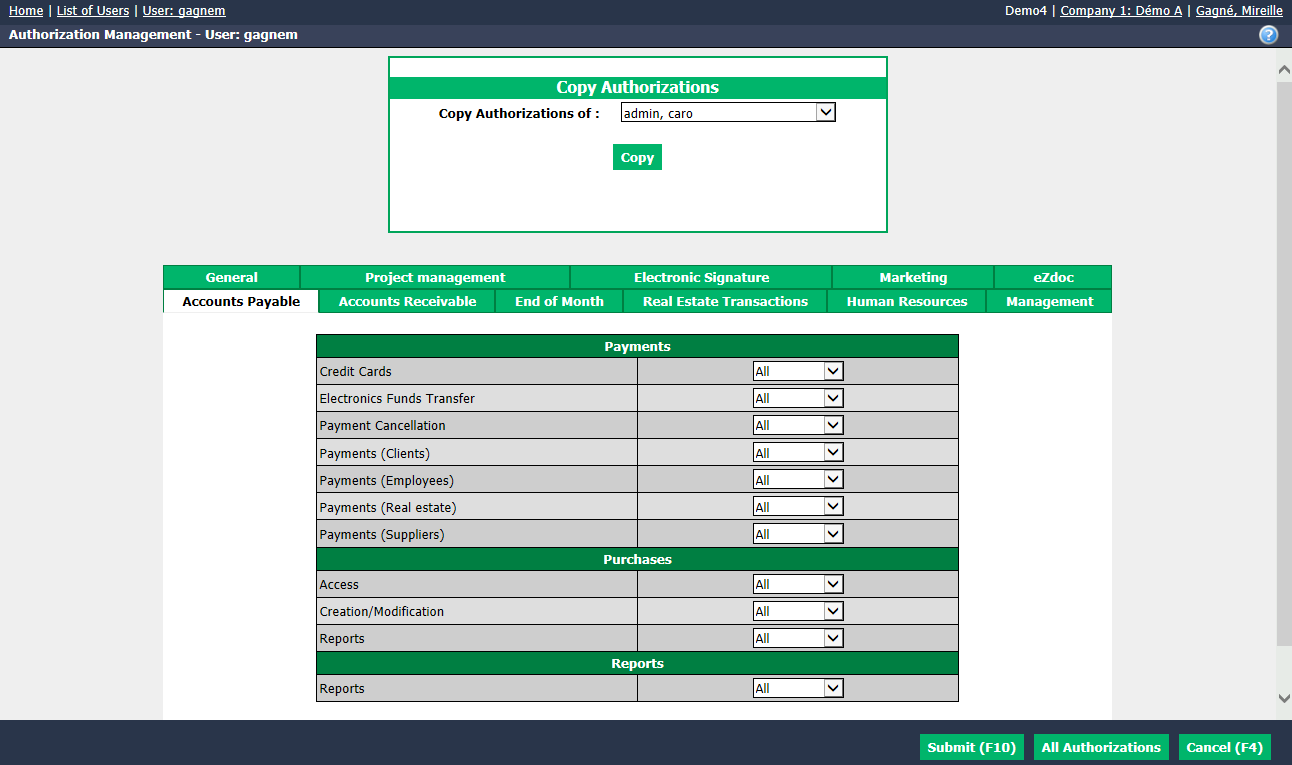
- You can adjust authorization settings in a number of ways:
- Copy from one user to another. Select user to copy from the list in the "Copy Authorizations" section, click on Copy and on Submit.
- Click on All Authorizations at the bottom of the screen for full access and click on Submit.
- You can also manage item access individually by selecting each tab.
Warning
If the Admin user was logged in during an authorization adjustment, this user will have to log out and then log in to activate this adjustment.
NOTE: If you have questions about specific authorizations, please contact your trainer or technical support directly.