

English
Property Sold by the Owner
When an agency is involved (as the buyer’s agent) in a transaction with a property sold by the owner, and therefore there is no seller’s agent, the agency must manually create an external agency.
Creating Manually an External Agency
From Main menu >> List of External Agencies.
Click on Actions >> New External Agency.
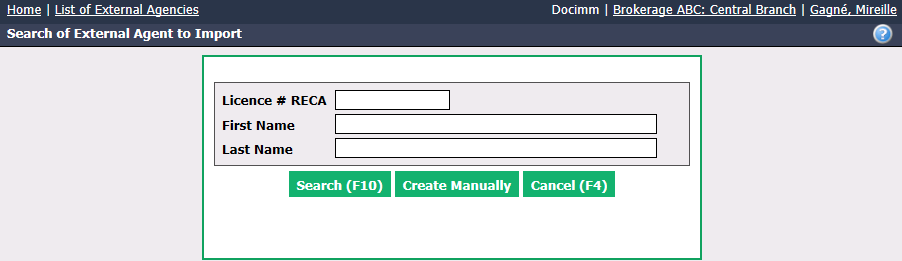
- Click on Create Manually.
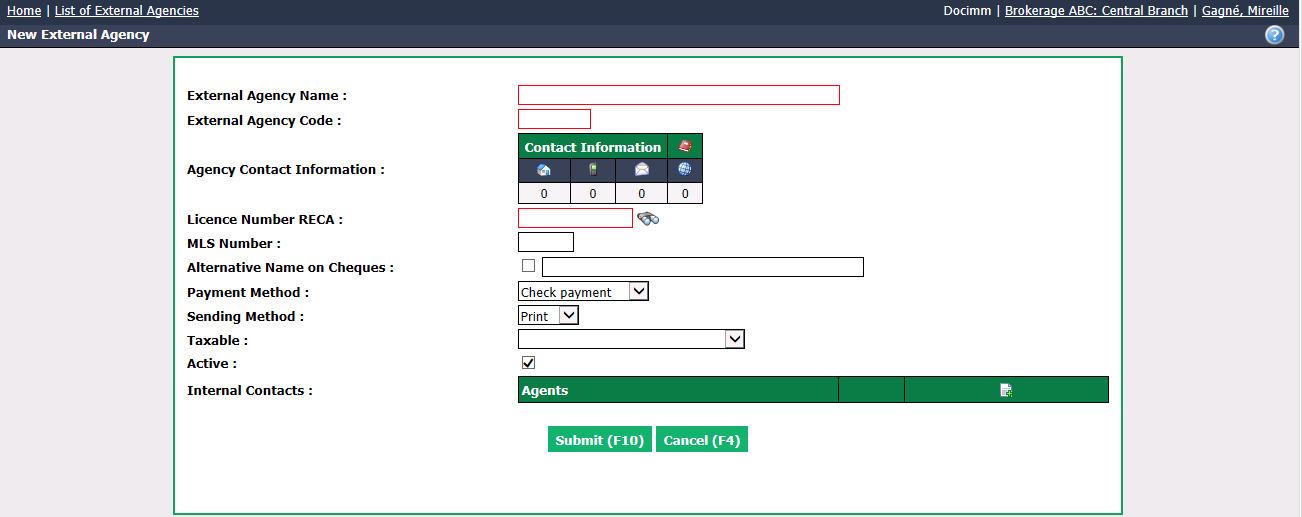
External Agency Name : Enter "Sold by Owner".
External Agency Code : Enter "SBO".
It is not necessary to enter theAgency Contact Information because no cheque will be issued.
Licence Number (RECA in this example): Write "X".
Taxable : Select "No tax".
Internal Contacts : Click on the Sheet with a + icon and write "." for the Last Name and the First Name. Click on Submit to add the contact.
Click on Submit and the external agency will be added in the system.
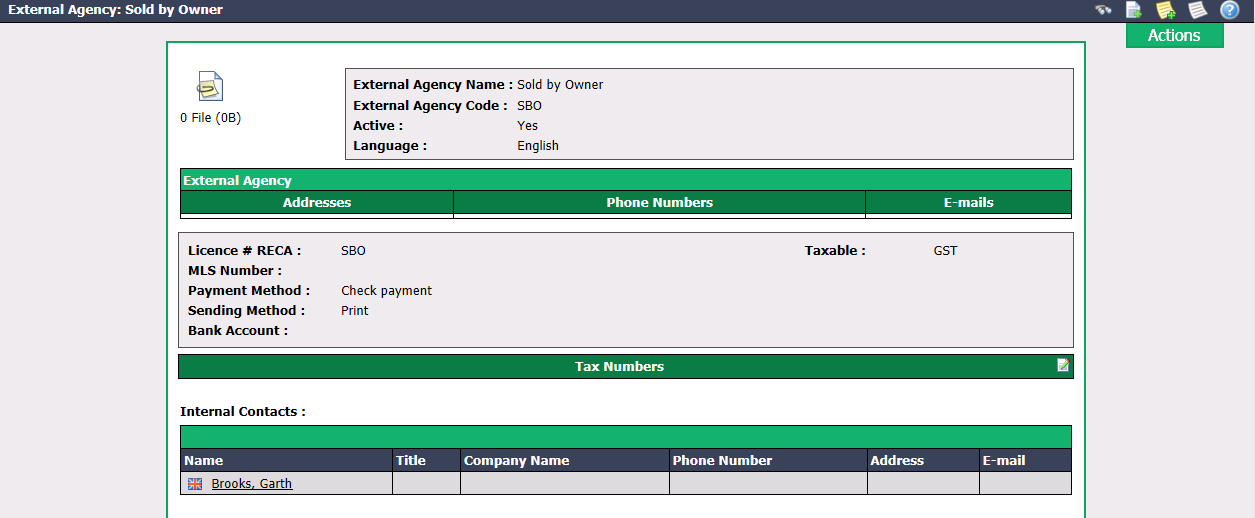
Adding the External Agency to the Transaction
From the transaction regarding the property sold by the owner, click on Actions >> Edit transaction.
Go to the bottom of the "Deal Information" section.
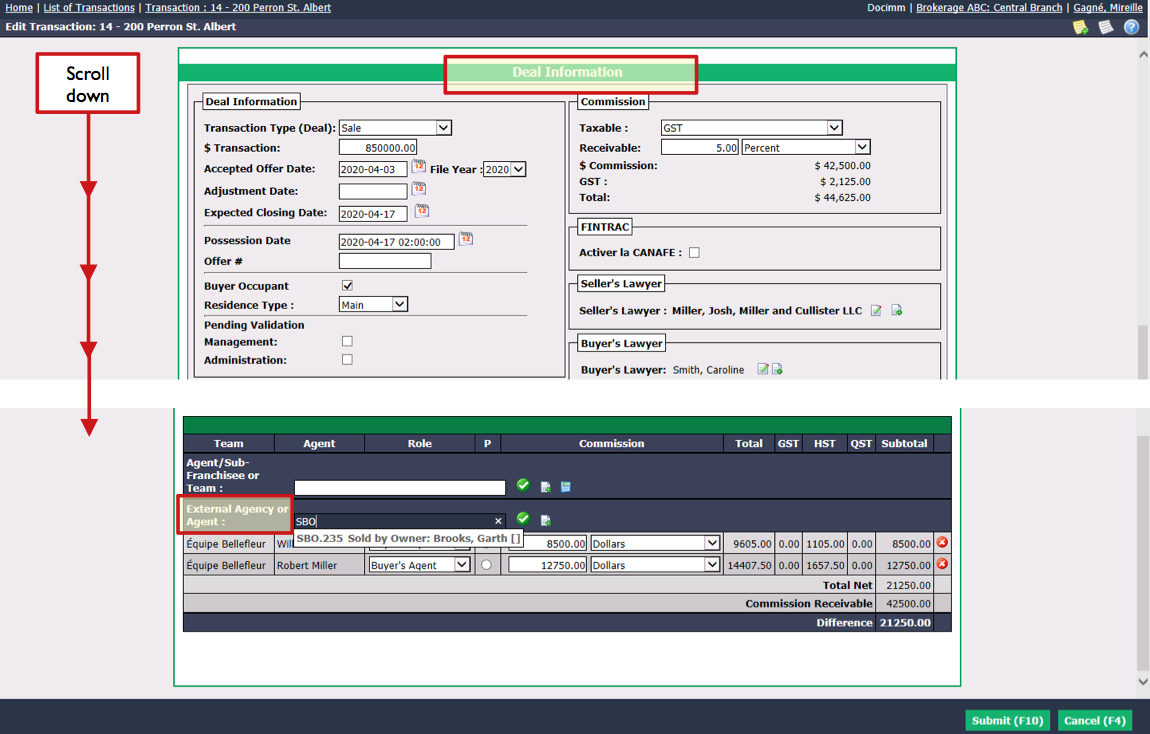
Enter "SBO" in the External Agency and Agent field, select it and click on the Check Mark button.
The external agency "SBO" will be added to the transaction and you will be able to select Seller’s Agent (P) for the Role.
Click on Submit.